Zoonk 2.3: three free goals, your country, a second look

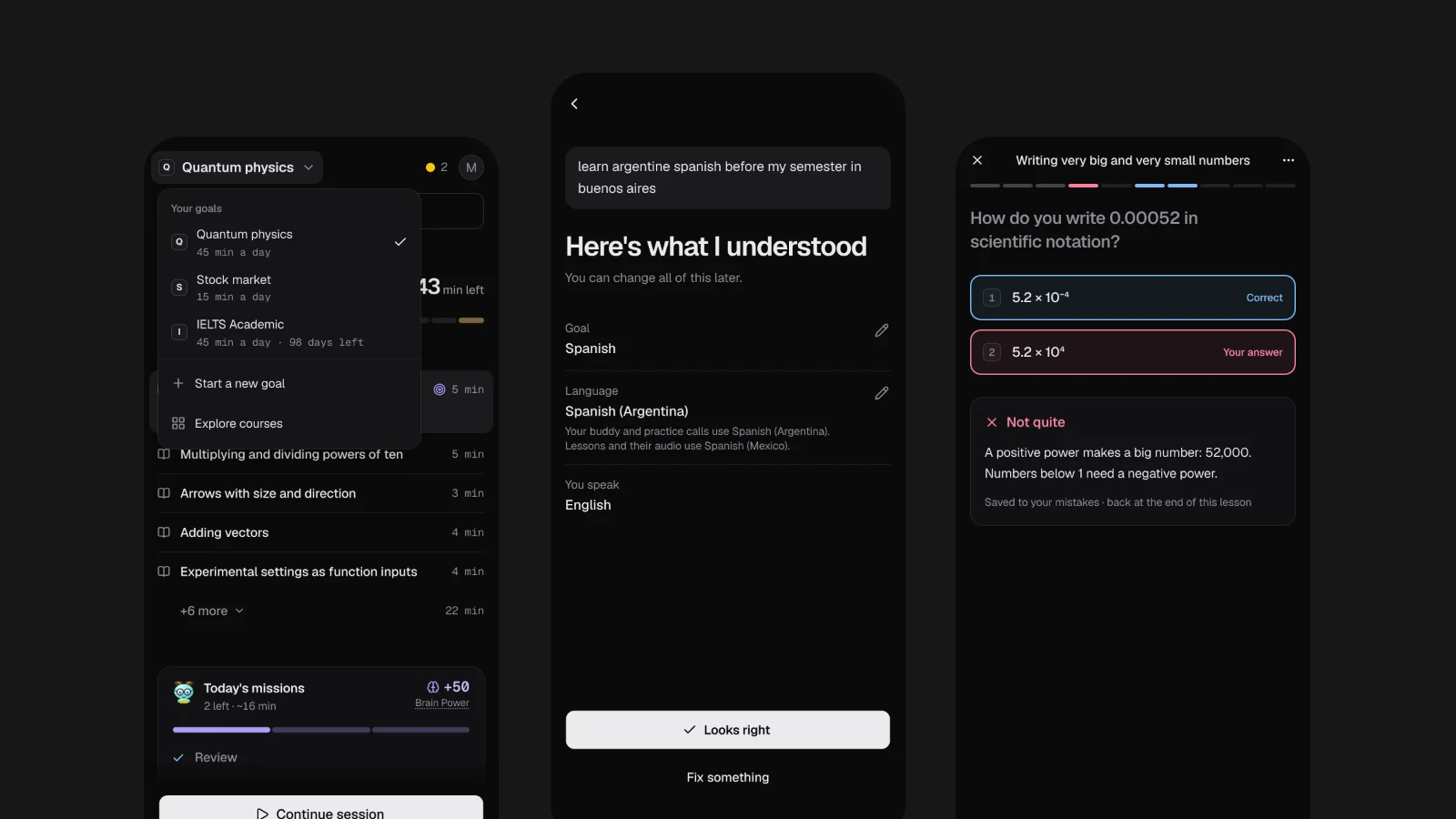
Two days after Zoonk 2.2, we're releasing 2.3. You can now follow three goals on the free plan, get lessons and practice for the country you actually live in, go back to any screen in a lesson, and get a short email when it's time to study.
Three goals, free
Most people are learning more than one thing. You're studying for an exam, and you also want to keep your Spanish going, or finally learn some Python.
Until now, the free plan covered one goal at a time. Now it covers three. Each goal has its own plan, its own day on Today and its own missions, so finishing your Spanish lessons doesn't count as done for your exam. Switch between them from the goal switcher at the top.
If you already follow three goals and start a fourth, it waits for a free spot. Tap Pause a goal or get Plus, pick the goal to pause, and the waiting one starts right away. You can also pause, resume, rename or archive any goal from the menu on its Plan. Plus still covers every goal you want.
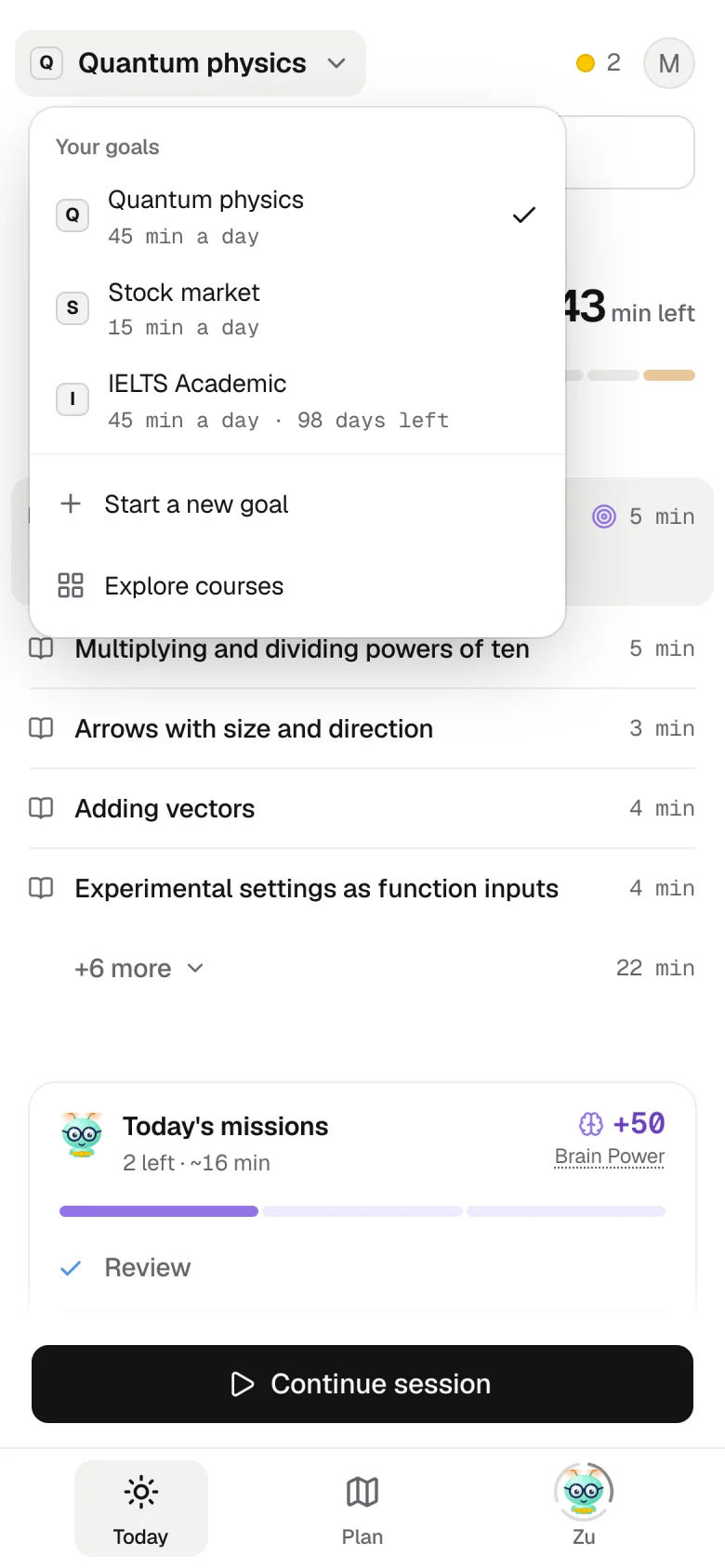
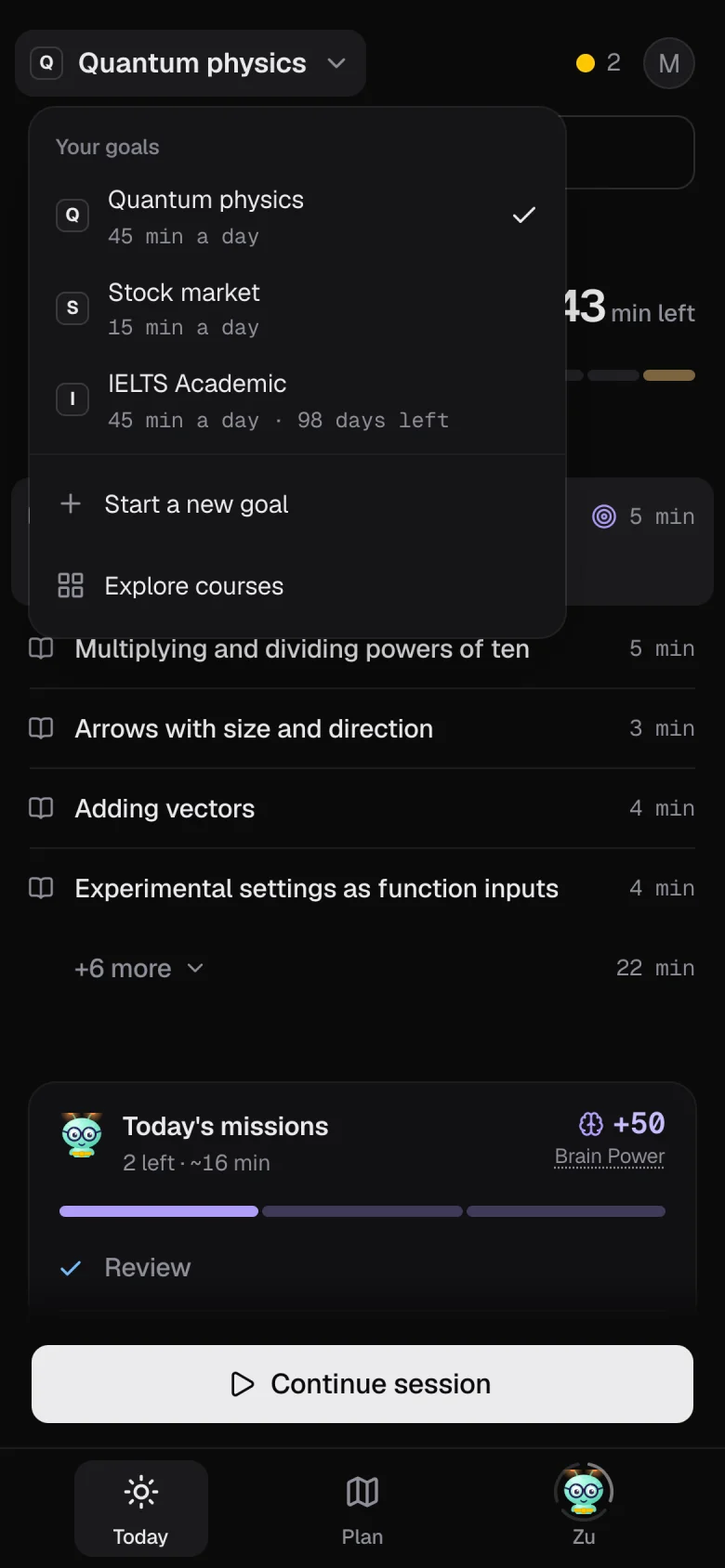
Three goals on the free plan
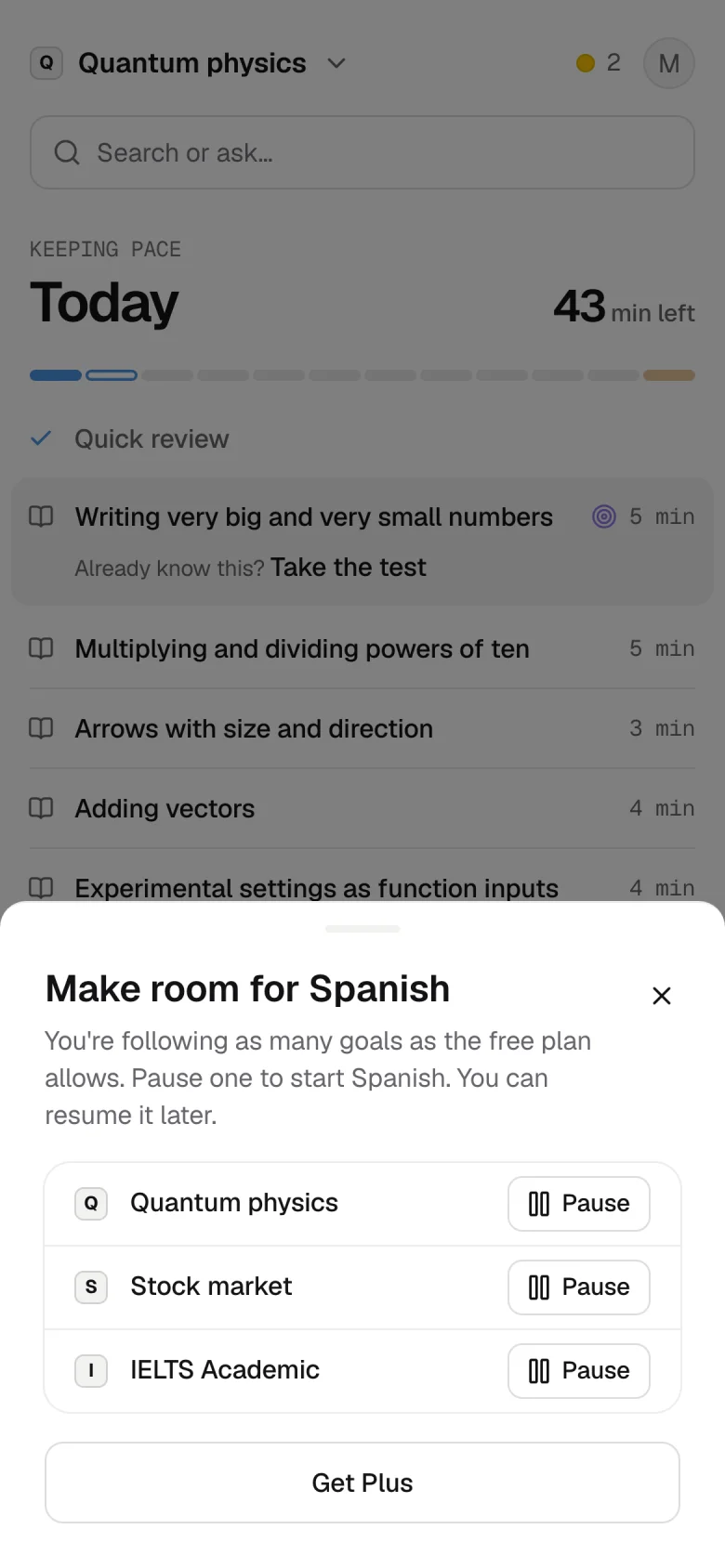
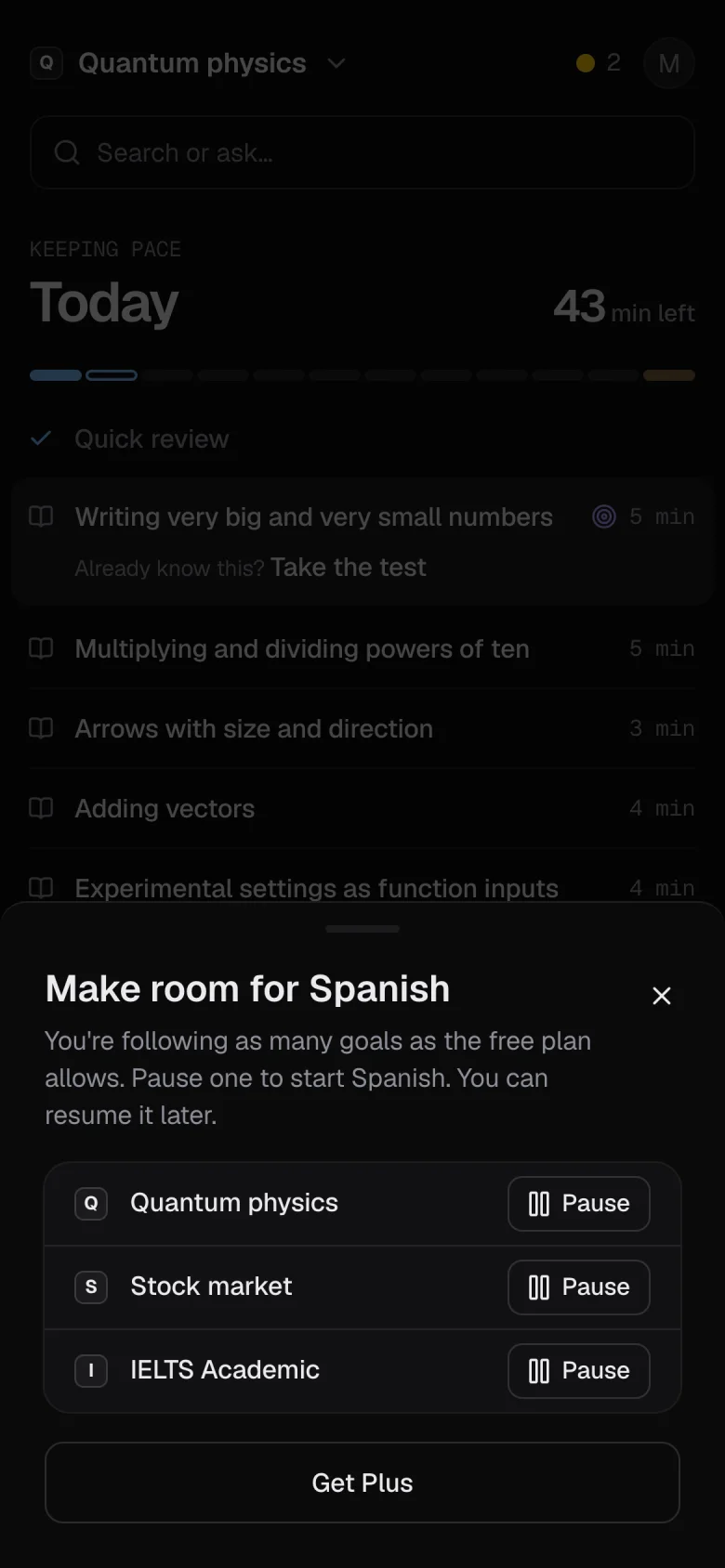
Pause one, start another
Lessons for where you live
Spanish in Buenos Aires isn't the Spanish of Mexico City, and the taxes you pay in Lisbon aren't the ones you'd pay in São Paulo. Until now, Zoonk picked one country per language and used it for everyone.
If you're learning a language for a place, just say so when you set up your goal, like "Argentine Spanish" or "I'm moving to Lisbon." Your buddy and your practice calls then speak that variety, and grading accepts every standard regional form, so a correct "vos tenés" no longer gets "fixed" into "tú tienes." Lessons and their audio stay in the variety they're written in, and when that's a different one, your Plan says so. You can change the country anytime from your Plan.
Some subjects depend on the country too: money, taxes, law, driving, school. If you live in Portugal and ask to get your personal finances in order, your course now talks about euros and Portugal's taxes instead of Brazil's. When a goal like that doesn't say where you are, we ask once, and you can save Where you live in your settings so we don't need to ask again.
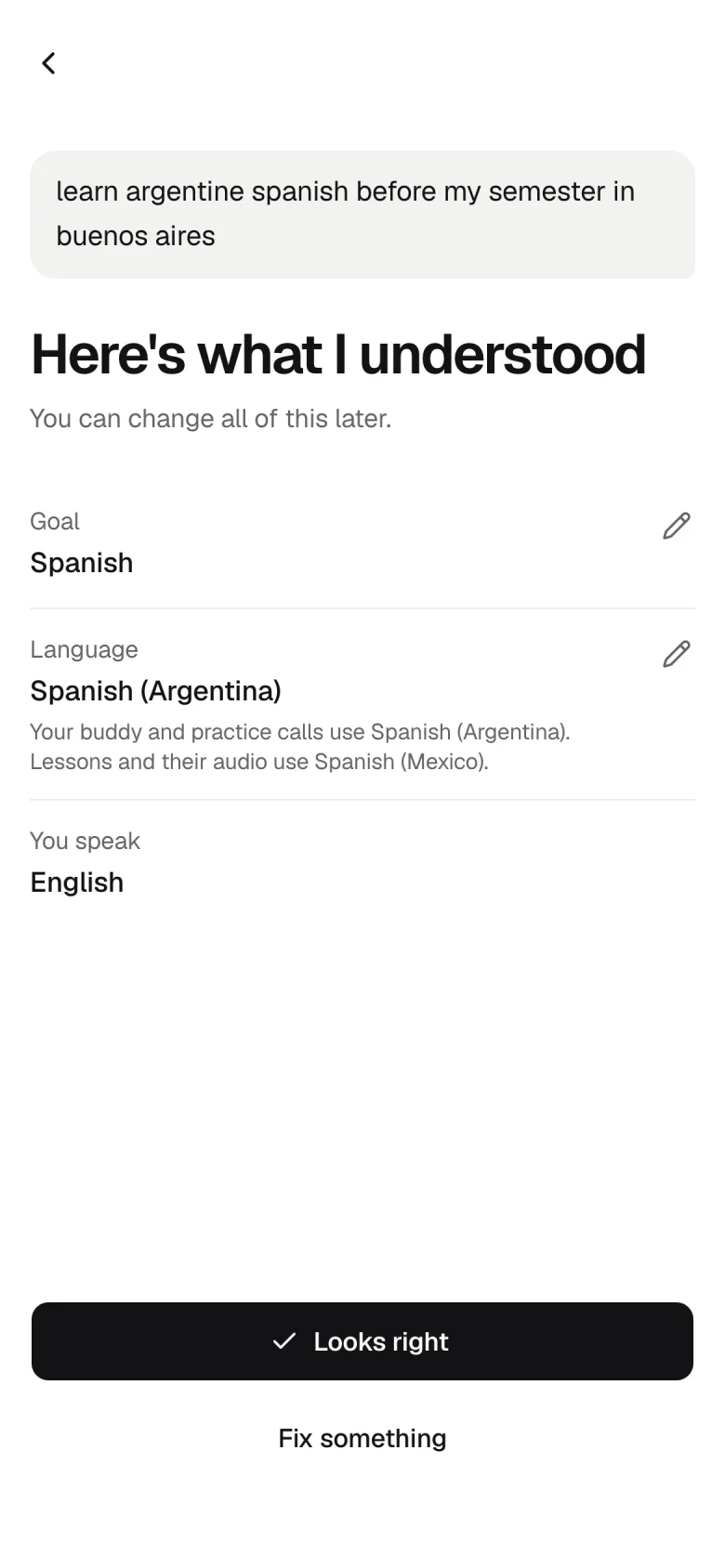
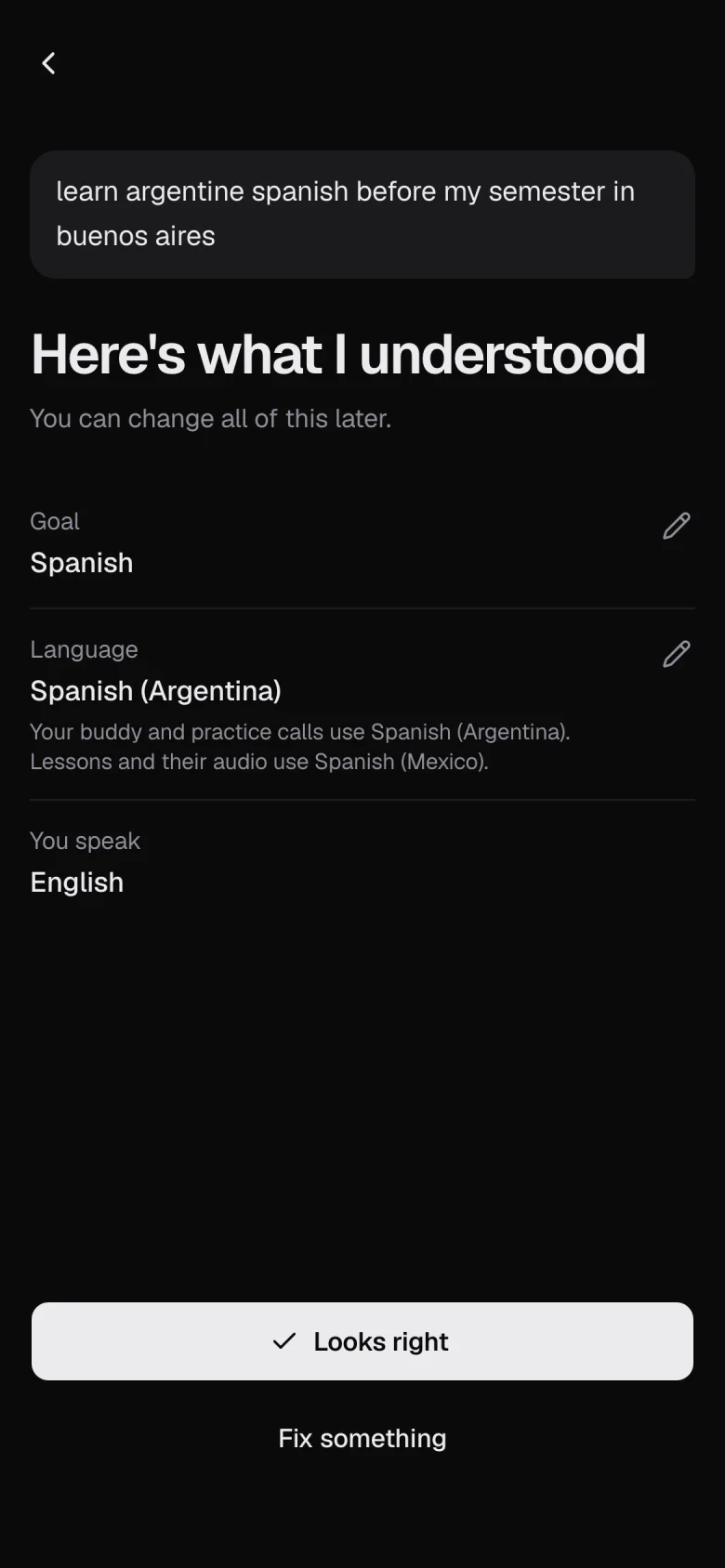
Your Spanish, from your country
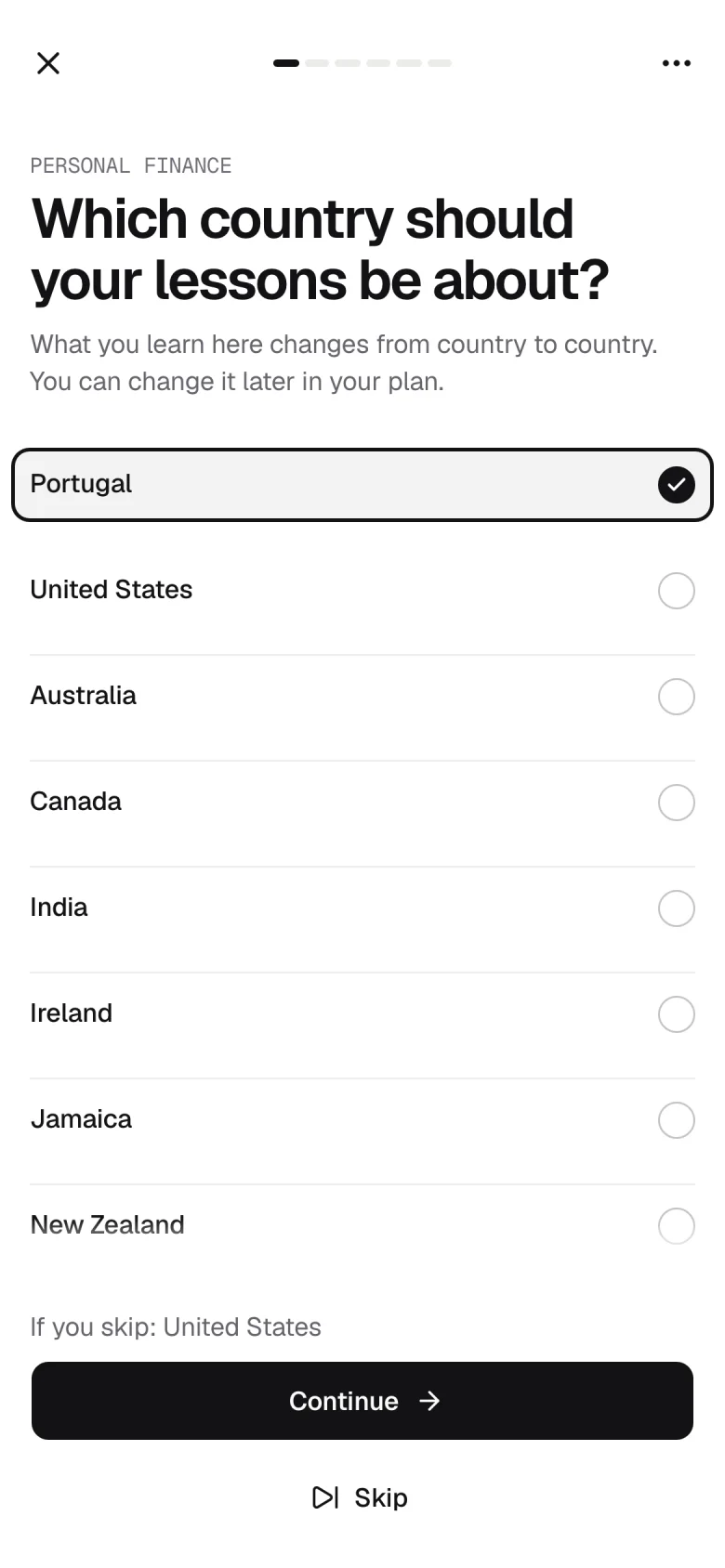
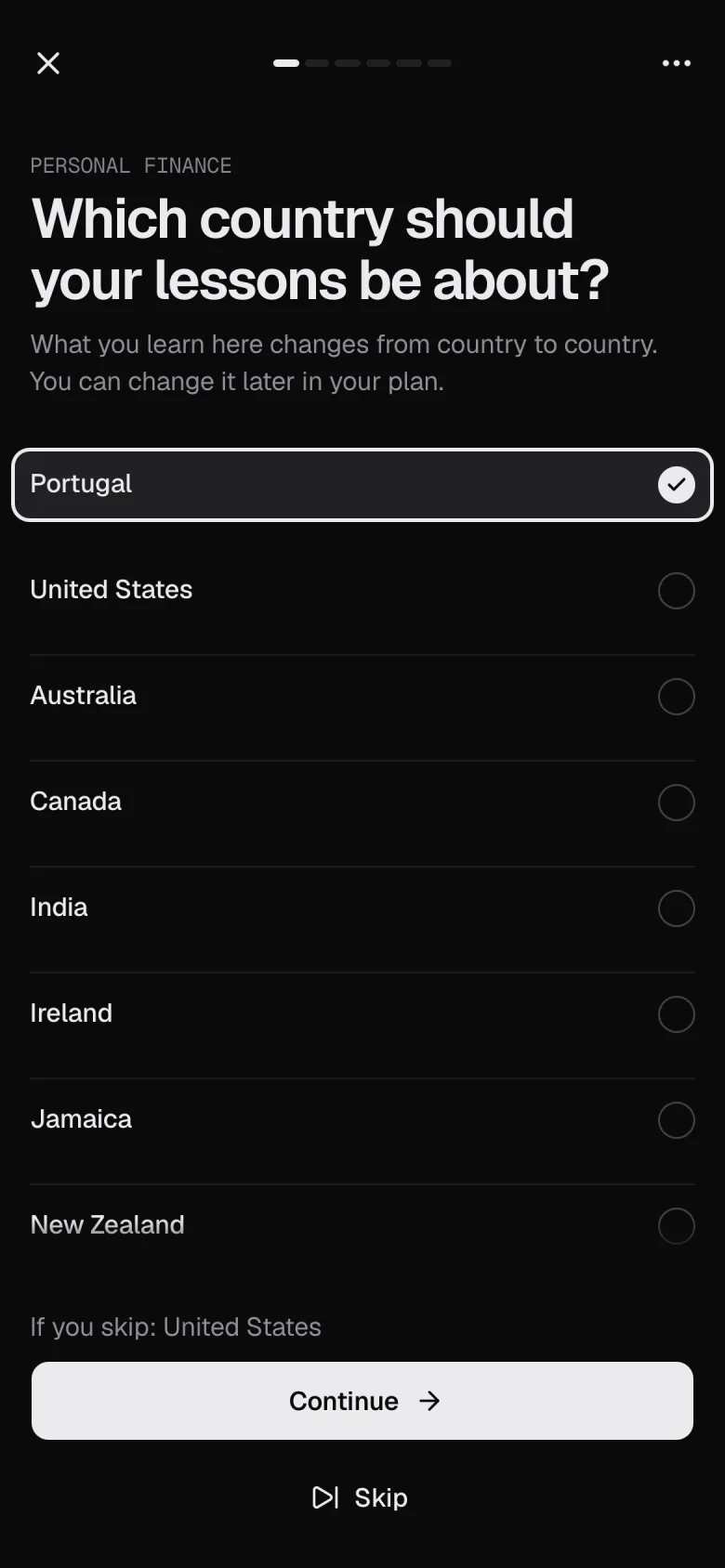
A course for where you live
Go back to any screen
You're halfway through a lesson, a question doesn't make sense, and you're sure the screen before it had the answer.
Now the back arrow at the bottom of a lesson takes you to any screen you've already been through, including the ones you answered. A question you answered opens just as you left it, with your answer and the feedback you got, so you can reread the explanation and move on. If you wrote some code or moved a slider, your work is still there.
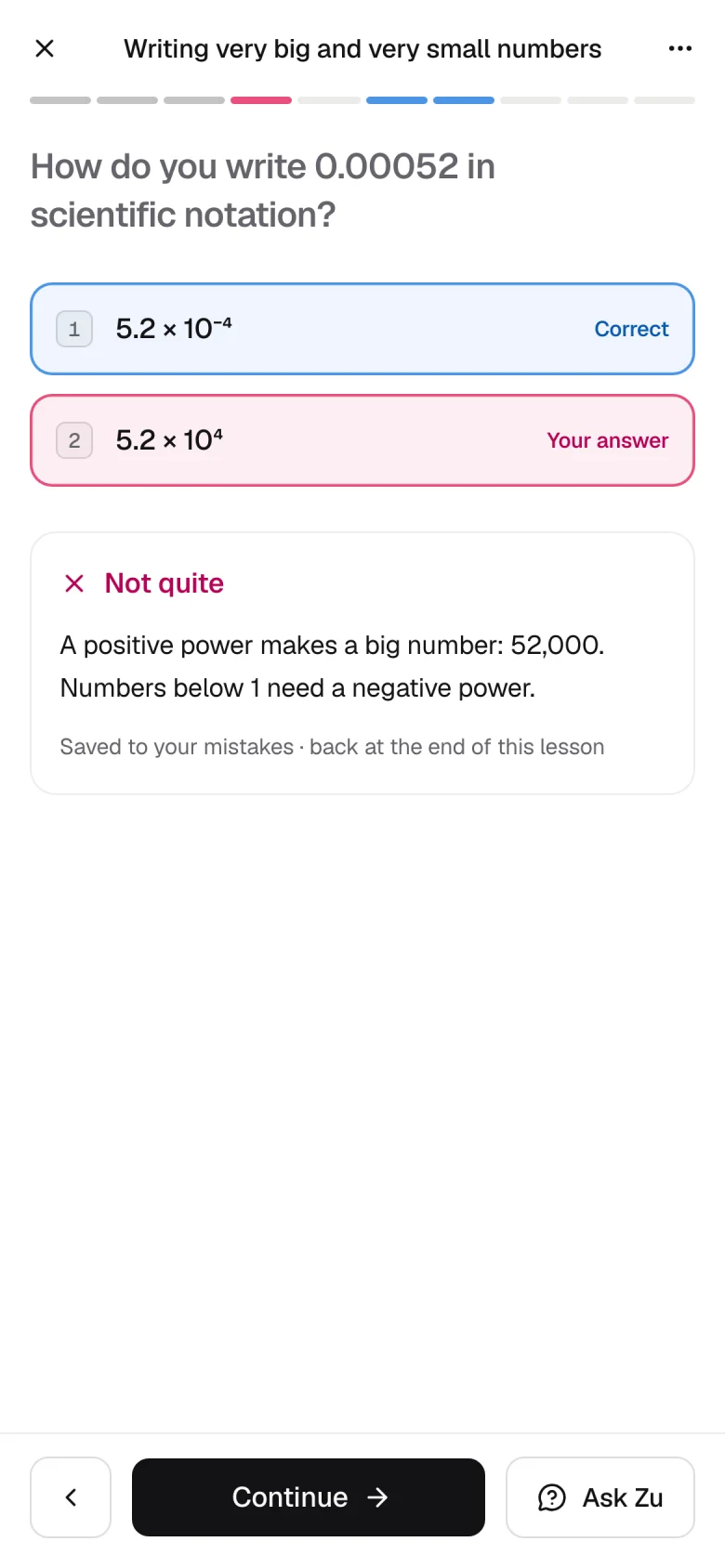
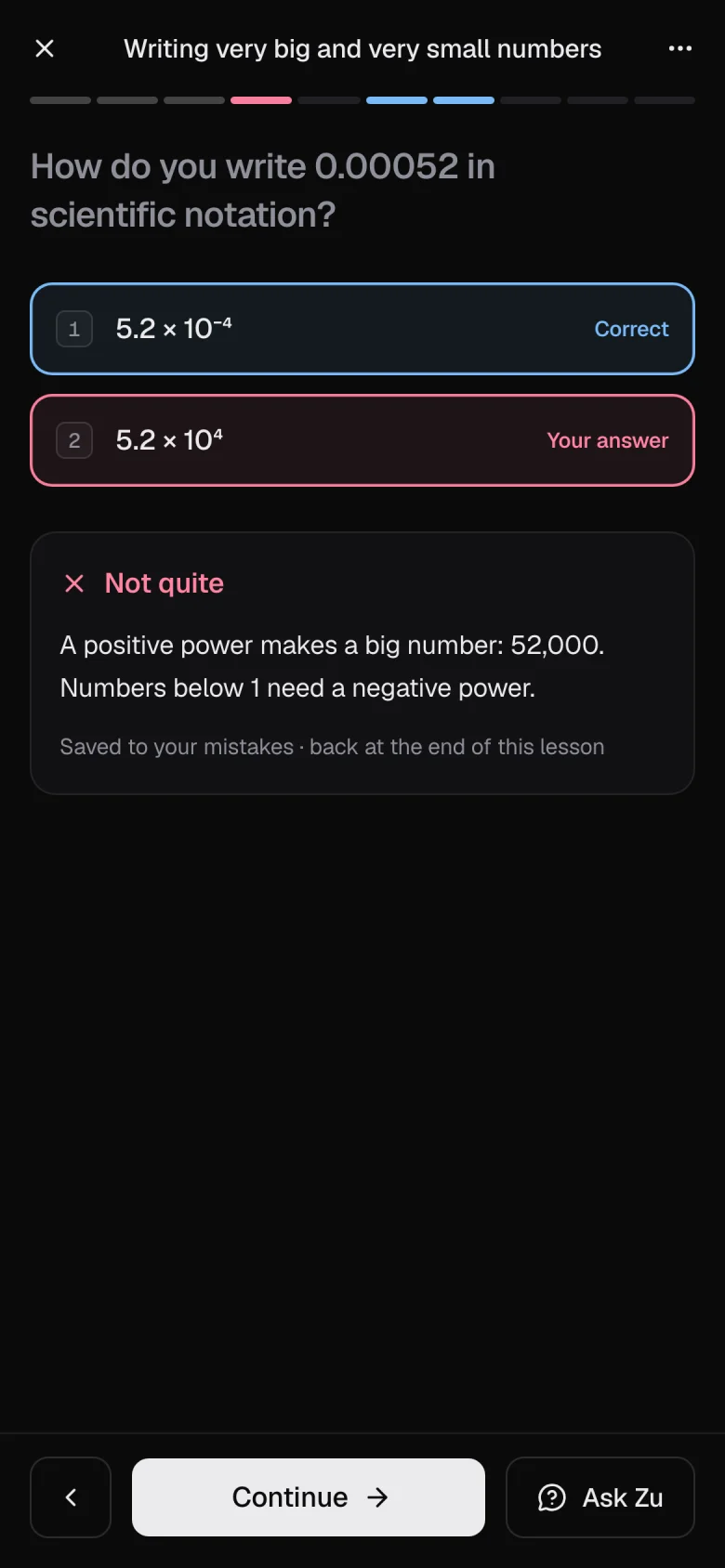
Reread what you answered
A reminder at your study time
The hardest part of studying every day is remembering to start.
After you finish your first lesson, Zoonk asks if you want a study reminder (you'll need a free account). Pick a time and tap Remind me. On study days when you still have something left, you'll get one email at that time with your goal and the minutes left. If you're away for a week, the reminders stop on their own. Every email has a link to turn them off, and you can change the time in Settings › Reminders.
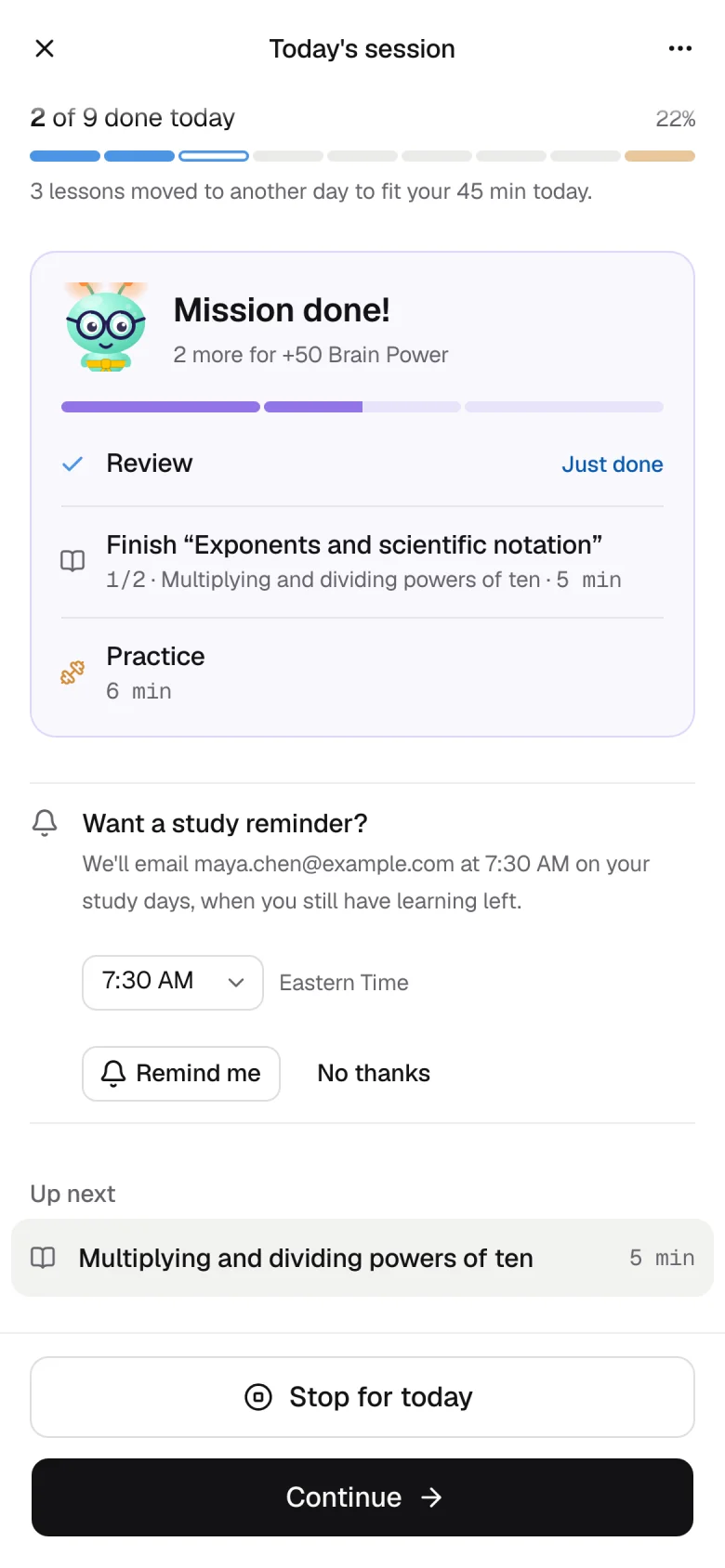
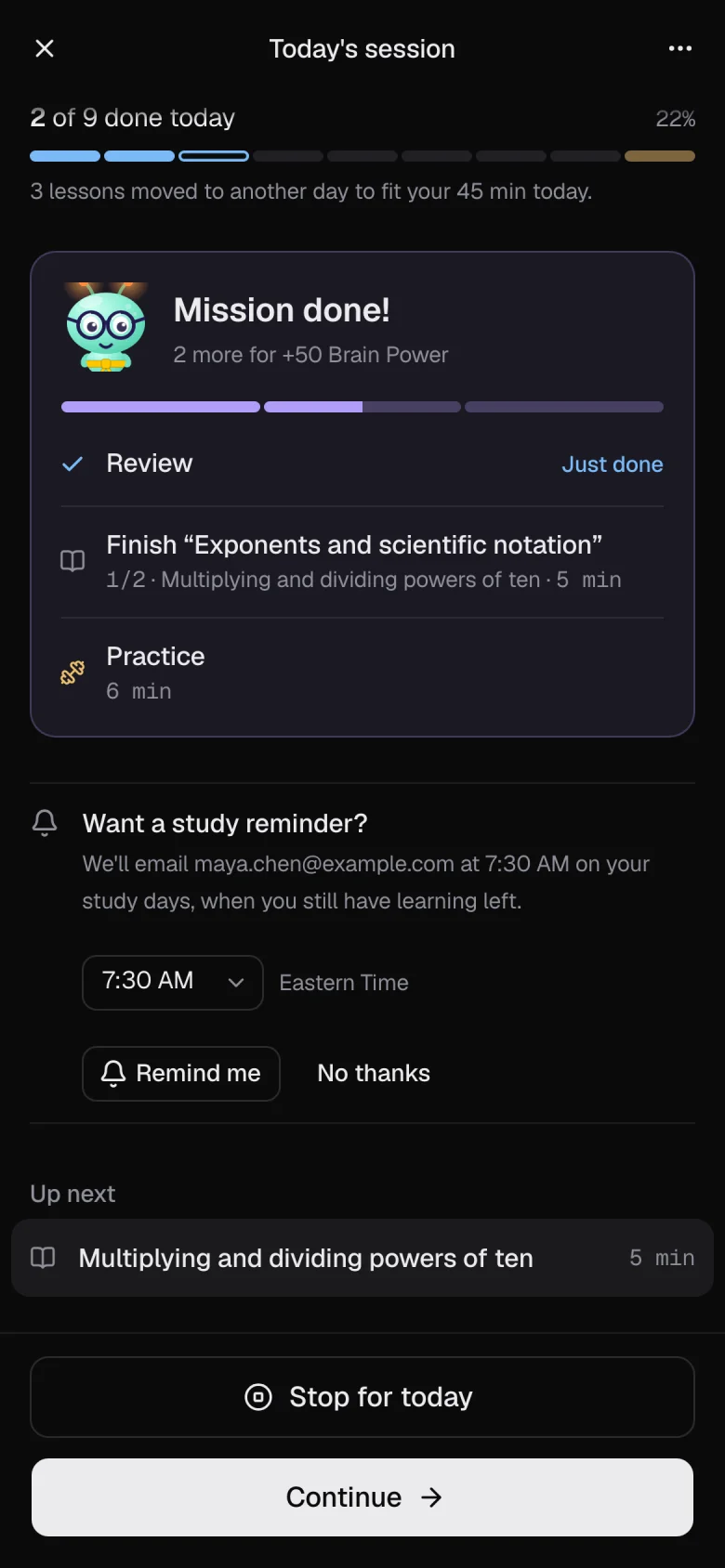
One email, at your time
Also new
- You can tell us how you'd like to be addressed. In Portuguese, Spanish and other languages that mark gender, your buddy and tutor follow it instead of guessing.
- When your plan is ready, the lessons under Today open with a tap, and Start takes you straight to the one marked Start here.
- Quick explanations show their first screen in about 8 seconds instead of 15, and essay grades come back in about 6 seconds instead of 21.
- The end of each block in a session shows how much of your day is done.
- On a laptop, you can hide the sidebar in lessons and sessions for more room.
- If your company network blocked you from signing in, it works now.
The 2.3 release notes have everything else that changed.
If something feels off, or Zoonk doesn't handle your goal well yet, write to us at hello@zoonk.com.