Zoonk 2.5: hands-on lessons, weak spots first, photos of your notes

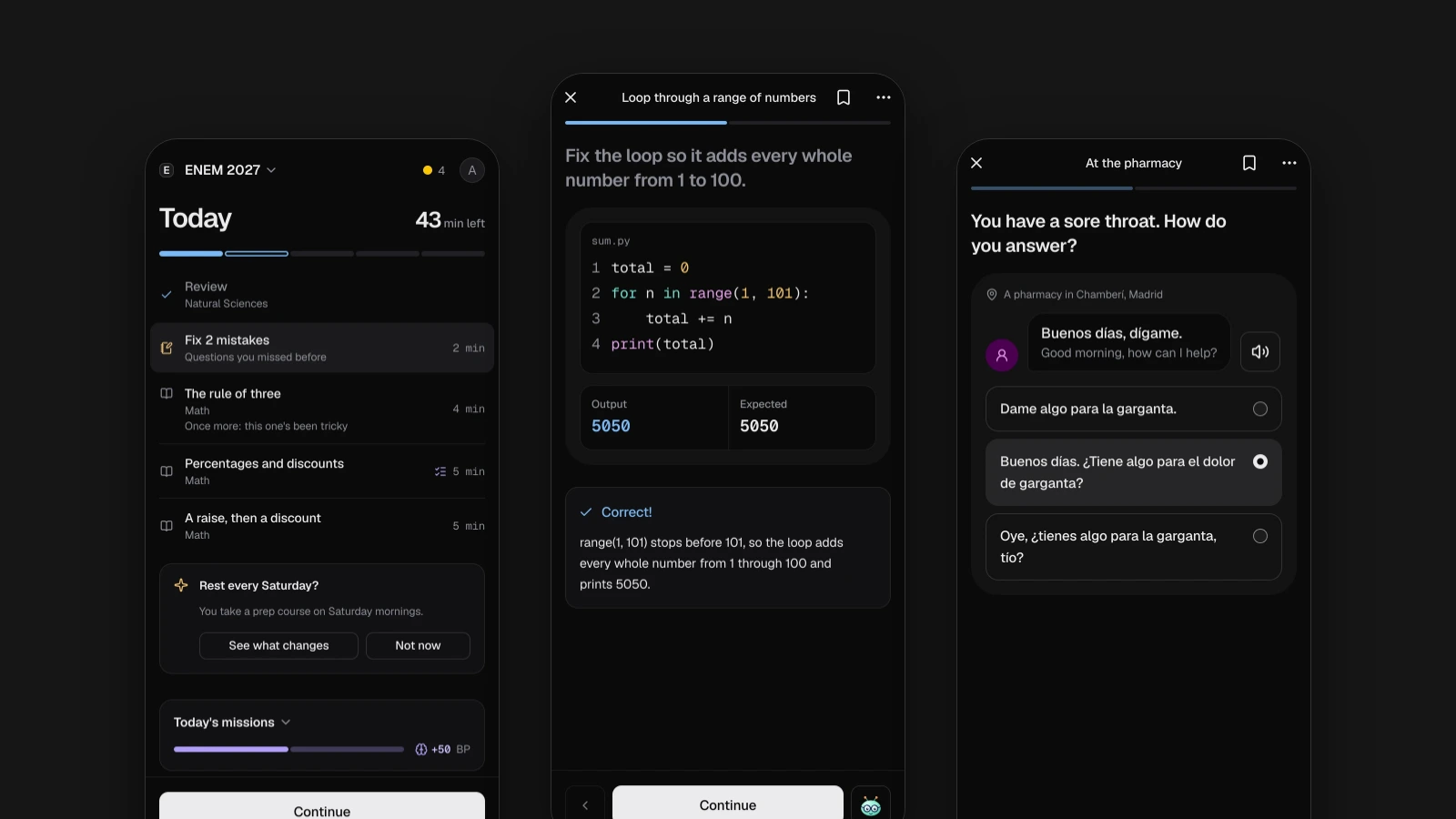
Five days and four updates after Zoonk 2.4, we're releasing 2.5. Coding and language lessons now put hands-on activities right on the screen, and your mistakes come back automatically in Today and reshape your schedule after mock exams. You can also study from photos of handwritten notes or scanned PDFs, and keep separate conversations with your study buddy.
Learn by doing in coding and language lessons
Reading about a loop or a verb tense feels clear until you open an editor or walk into a shop abroad and draw a blank. I wanted coding lessons to have you write and run real code on the screen instead of only reading about it.
In Python and JavaScript lessons, you now edit or write lines inside the code runner, run the program, and get checked on what it prints. In SQL lessons, you write the query and Zoonk checks the returned rows. A lesson's final task can be a small program too, like printing a receipt or running a check-in desk, while languages the browser can't run (such as C++ or Java) practice with code output and "find the wrong line" questions. Lessons stay around 4 to 5 minutes.
Language lessons now include two new screens built for real use. When a lesson covers a conversation like asking at a pharmacy or talking to a landlord, you read and hear the start of the exchange and pick what to say next. After you check, every reply stays on screen so you can see why the best one works and why the others sound blunt or out of place. When a lesson teaches a set of word endings (such as a verb tense or noun forms), you see the full set on one word and complete the endings for another word that follows it. New language lessons also start preparing about a minute sooner.
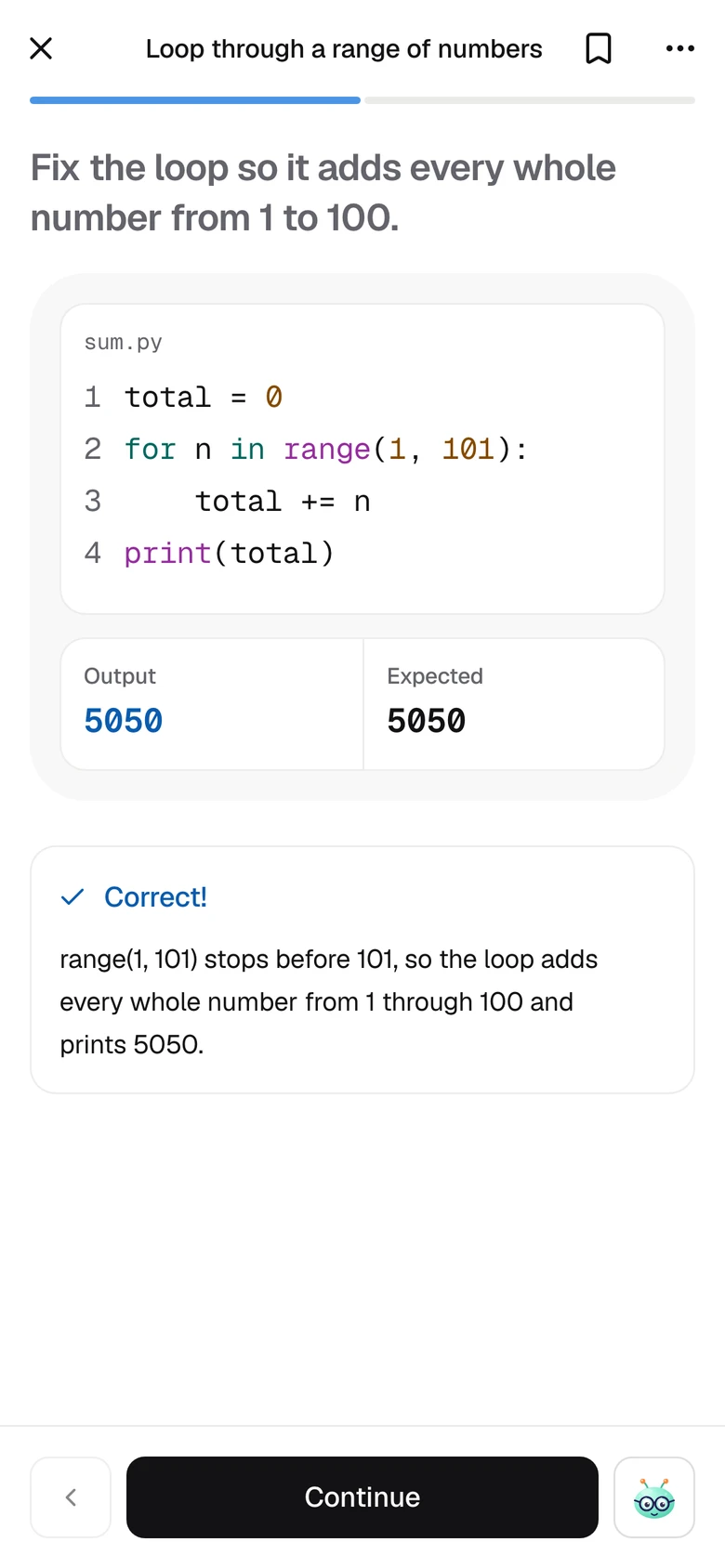
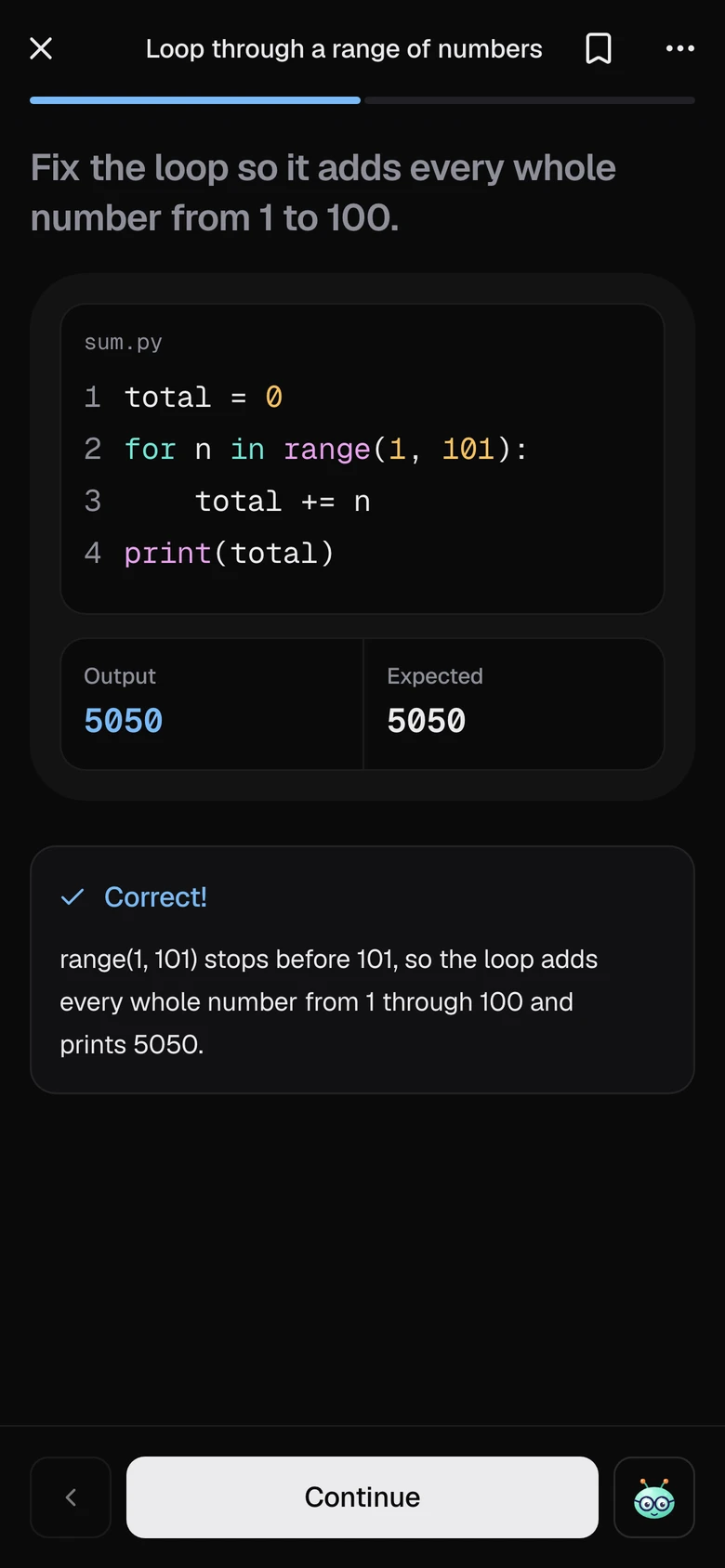
Write and run code inside the lesson
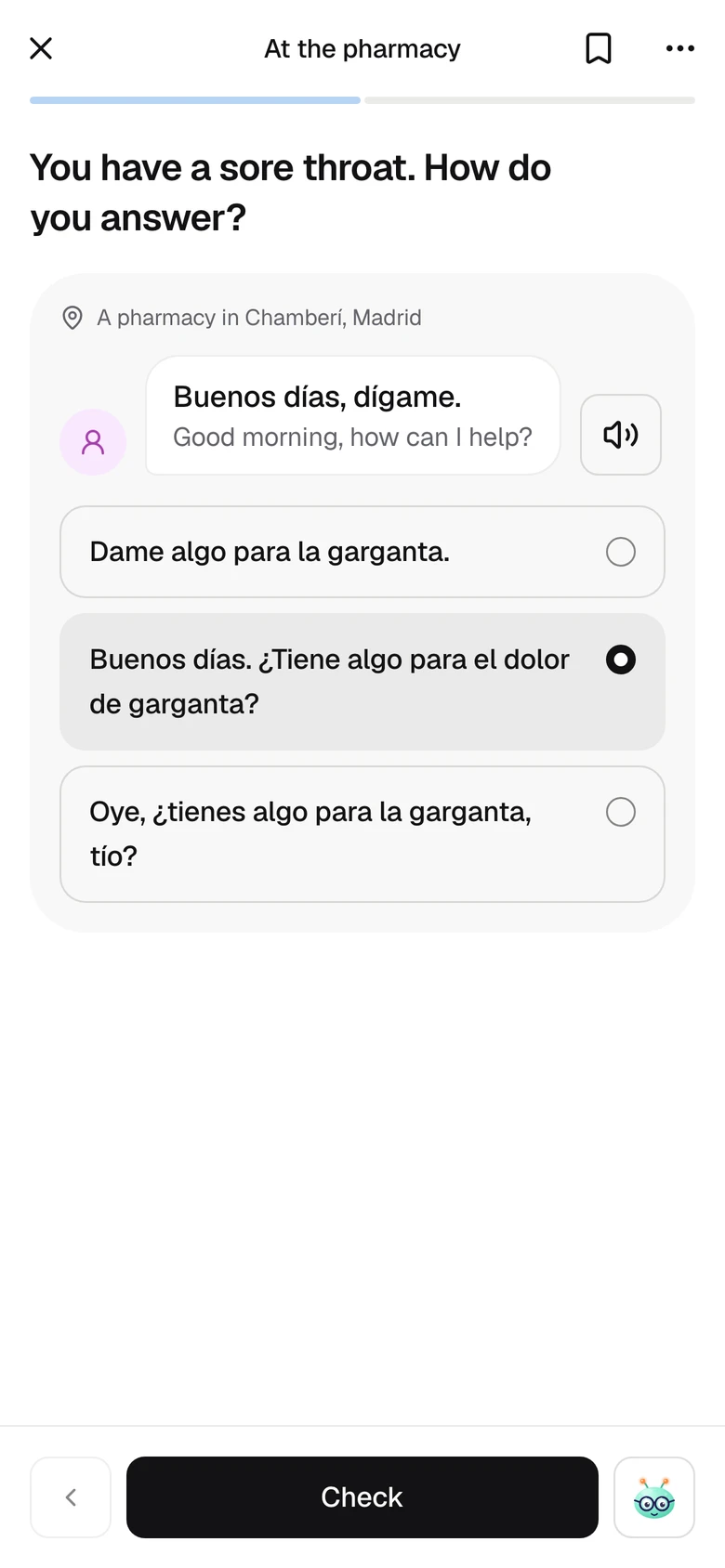
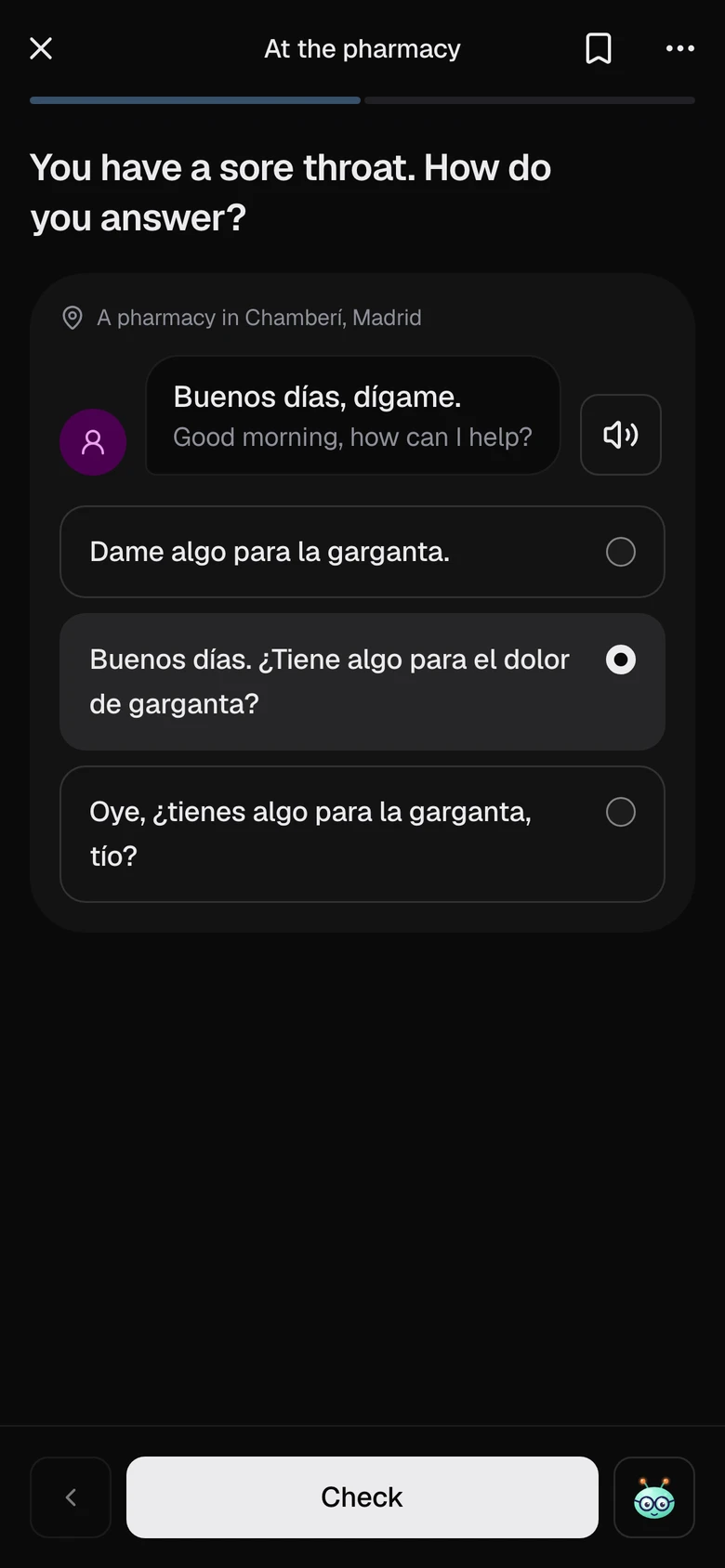
Answer real situations in language lessons
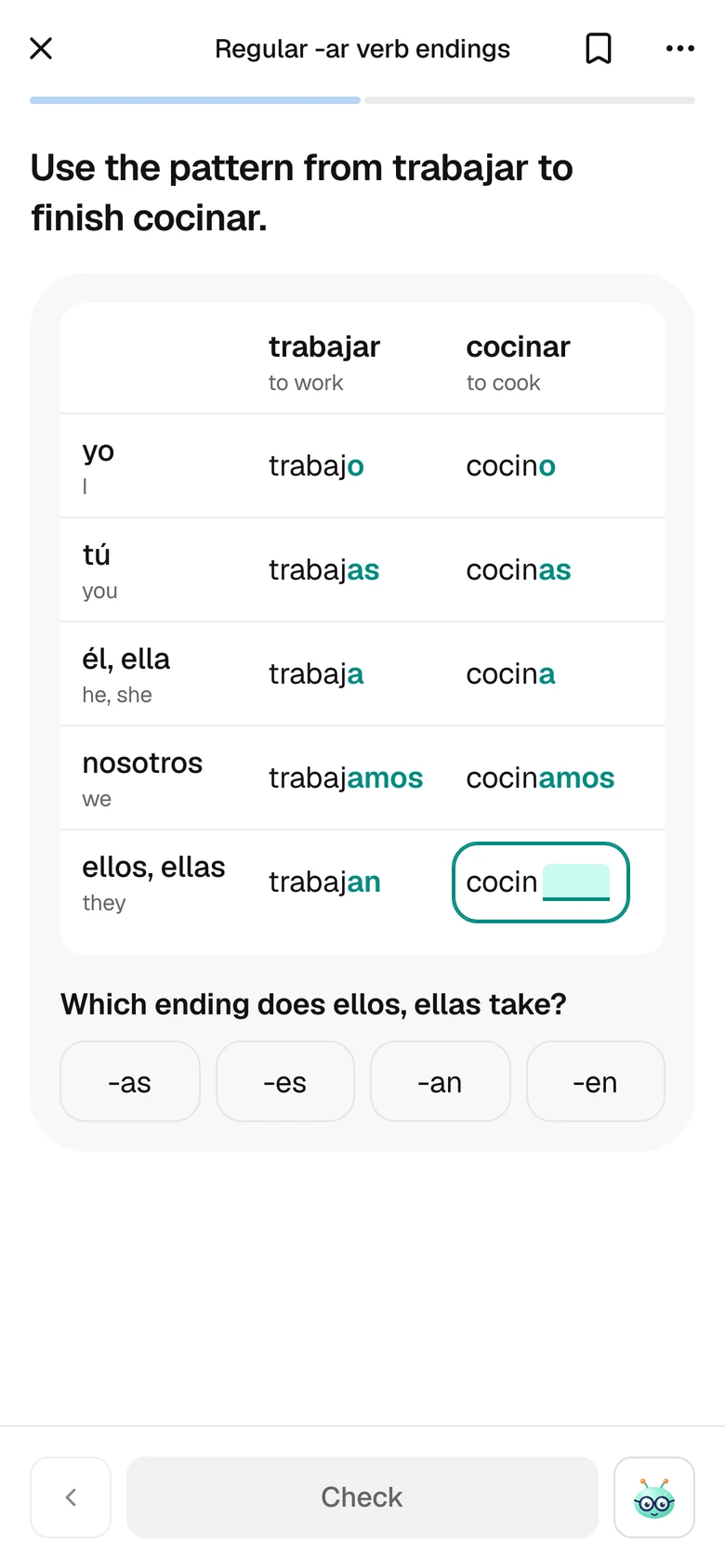
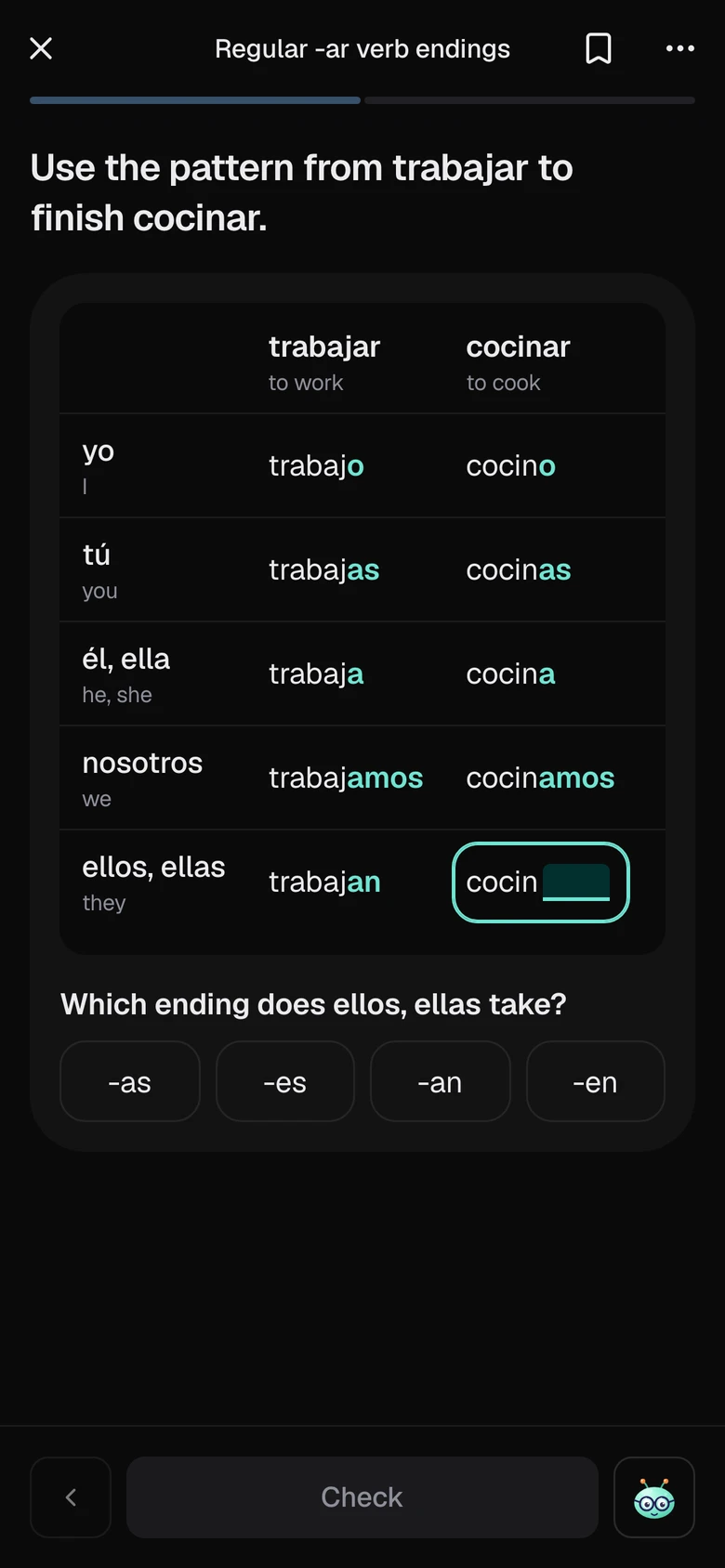
Complete word-ending patterns yourself
Your weak spots come back to you
You miss a question on Tuesday, tell yourself you'll look it up later, and forget about it until the same trap shows up on exam day.
Now, if you only follow Today, your mistakes come back to you automatically. Days with earlier mistakes include a short row (such as Fix 2 mistakes) before your new lessons. Keep missing the same topic across different days, or twice in one mock exam, and its lesson comes back labeled Once more: this one's been tricky. If it still trips you up a week or more after redoing it, Zoonk adds a short second lesson (Another way to see it) that starts from the tempting wrong answer and teaches the idea from a new angle. Rows still open in any order, so a returning lesson never blocks you from moving on.
Mock exams (which require Plus) now reshape your next study days on their own. When you finish a mock, the topics you missed move to the front of your upcoming days while keeping the order topics build on each other. Your exam date, how long you study each day, and your total lessons stay the same, and the result screen lists what moved up under What you missed now comes sooner.
You can also practice any open mistake in your Mistakes notebook right away instead of waiting until tomorrow, or jump straight into a mock exam's missed questions from its result screen. A mistake only clears when you get it right on a later day, so answering it right today keeps it open until you prove it sticks. On language plans, recurring mistake patterns appear as a practice row right in Today (such as Practice: since and for).
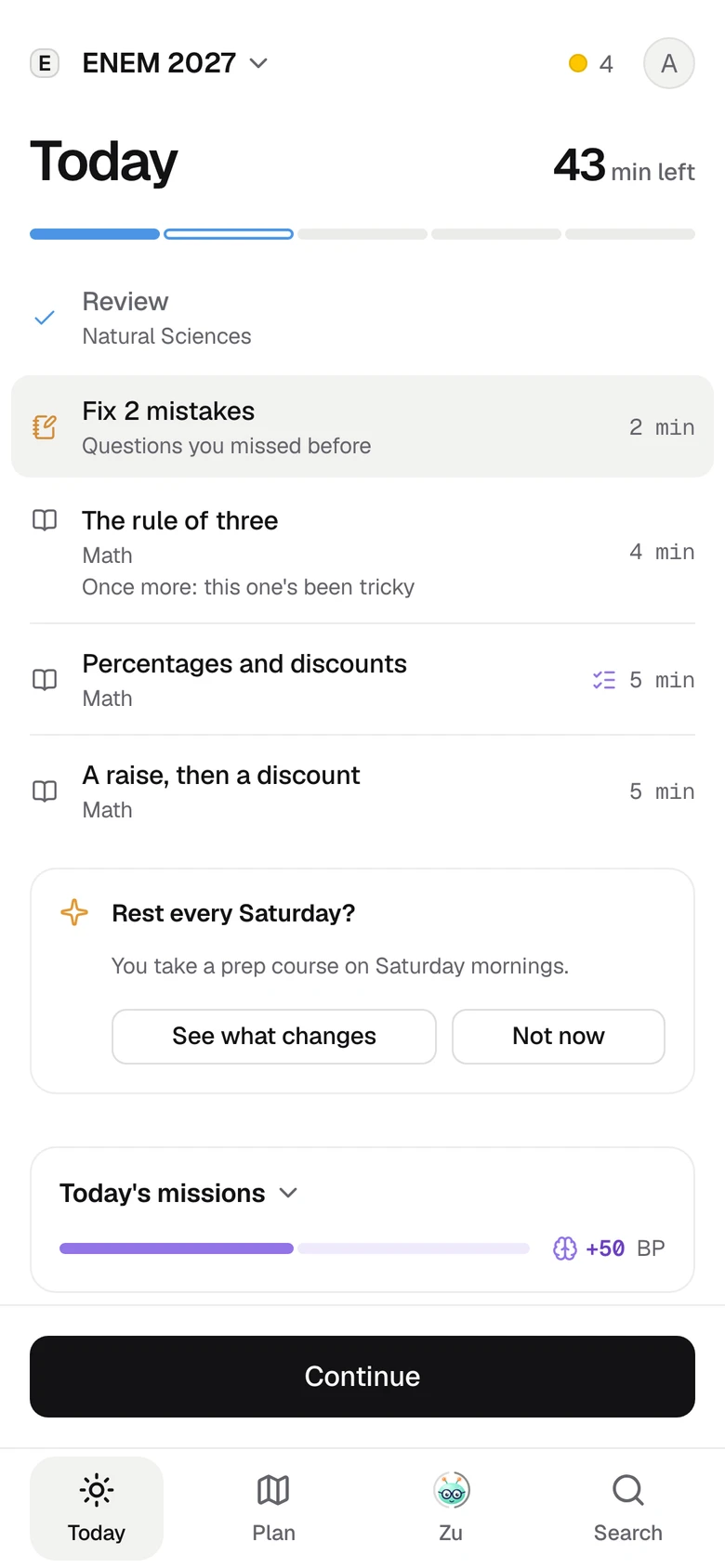
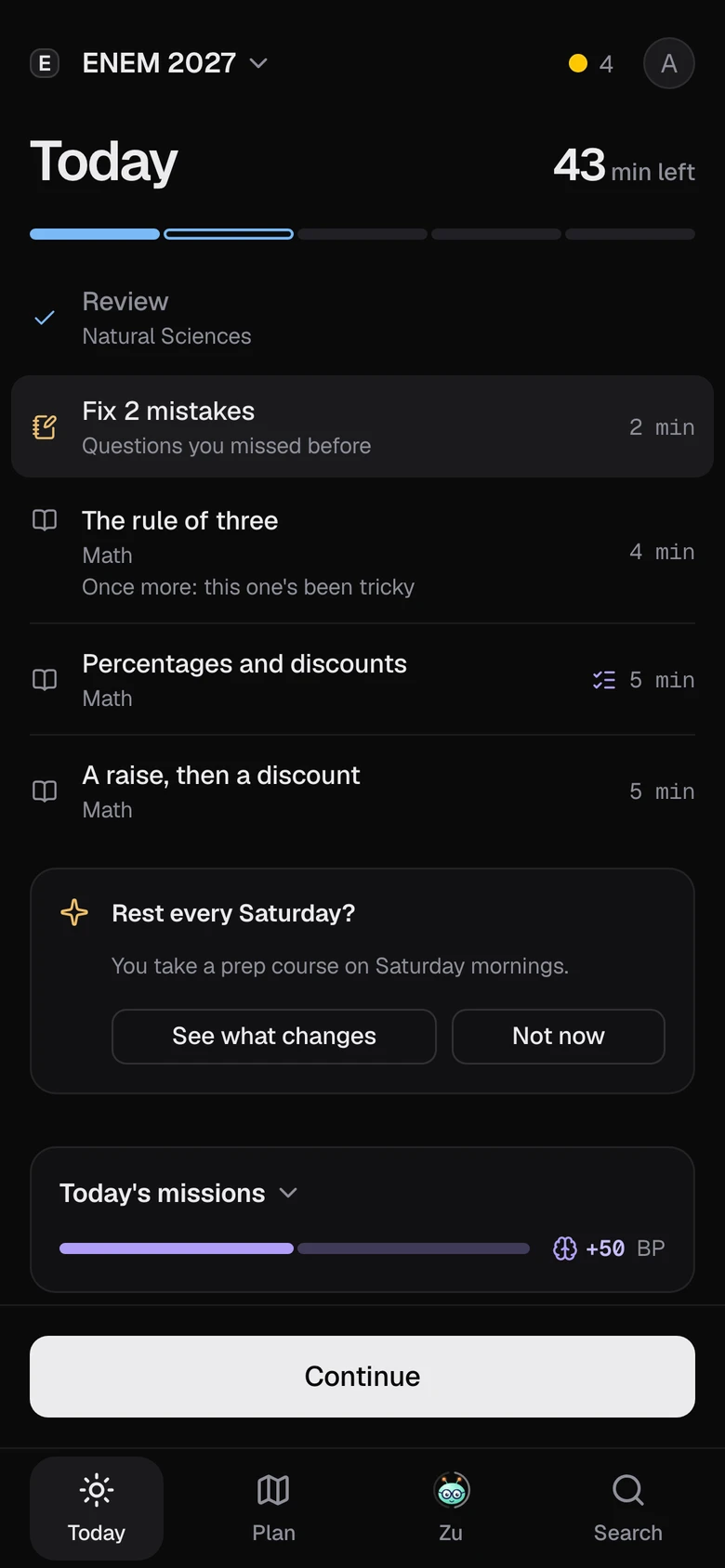
Mistakes and tricky lessons return in Today
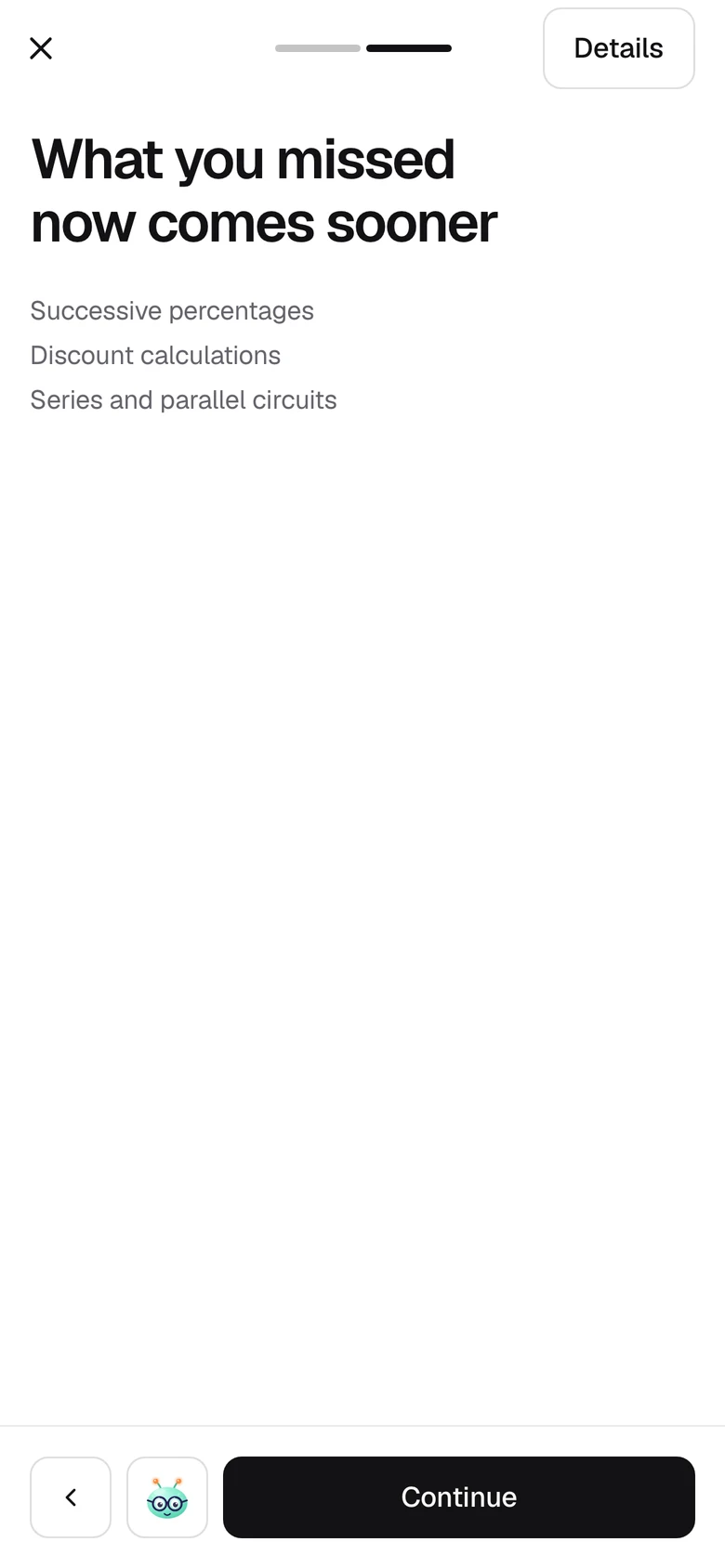
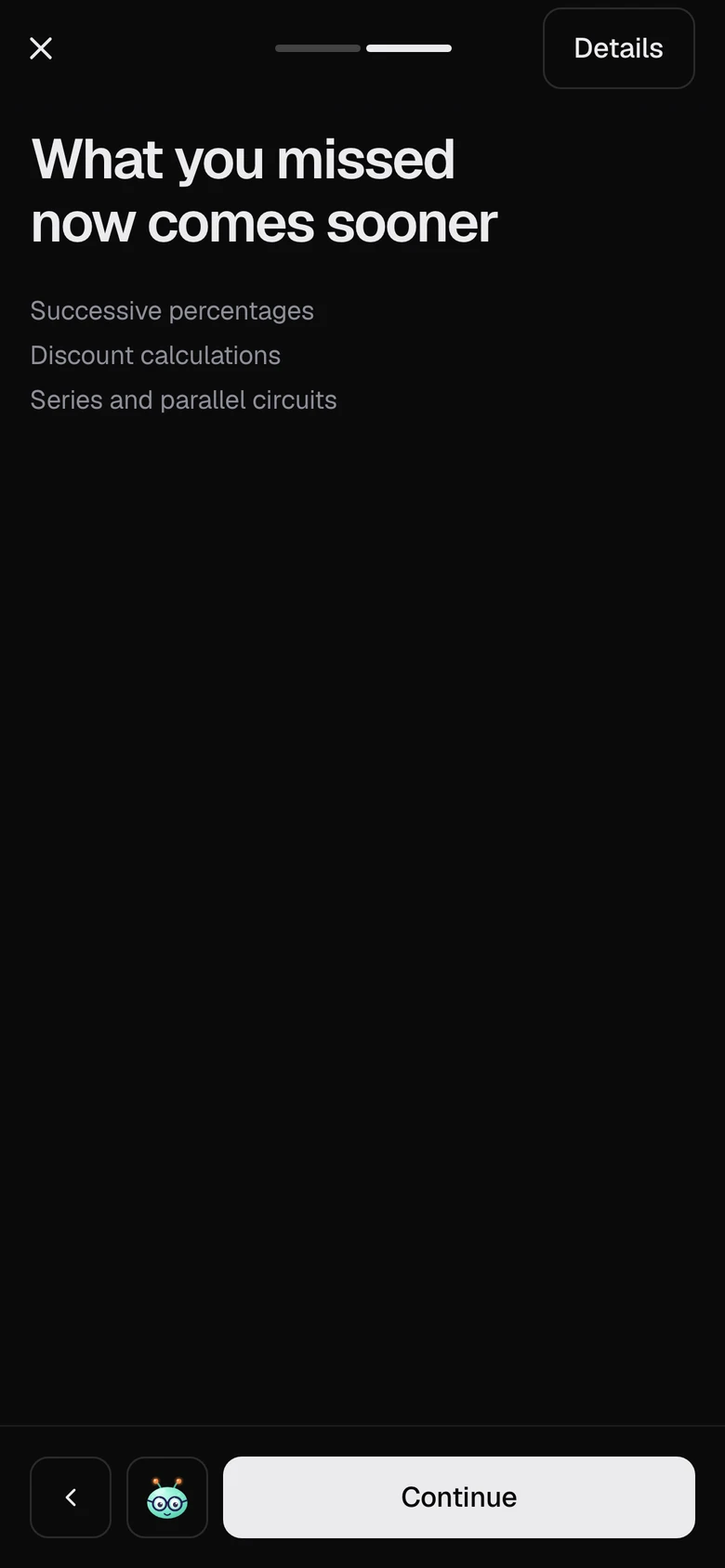
Missed mock topics move to the front
Snap a photo of your notes or upload a scanned PDF
When you have a class test on Friday, the study guide is often a stack of handwritten pages, two photos of the whiteboard, or a scanned PDF your teacher sent. Until now, photos and image-only scans carried no readable text, so Zoonk had to guess from the short line you typed.
With a free or Plus account, Zoonk now reads photos of handwritten notes, whiteboards, and scanned PDFs (up to 40 scanned pages per file). Your setup, plan, lessons, and questions about your material use what's written on those pages just like a text PDF. You can tap Build my plan right away while a file is still being read and setup waits for reading to finish, or ask a question right away and let it answer once reading completes. If a photo is too blurry or blank, Zoonk flags it so you can upload a sharper shot or paste the text.
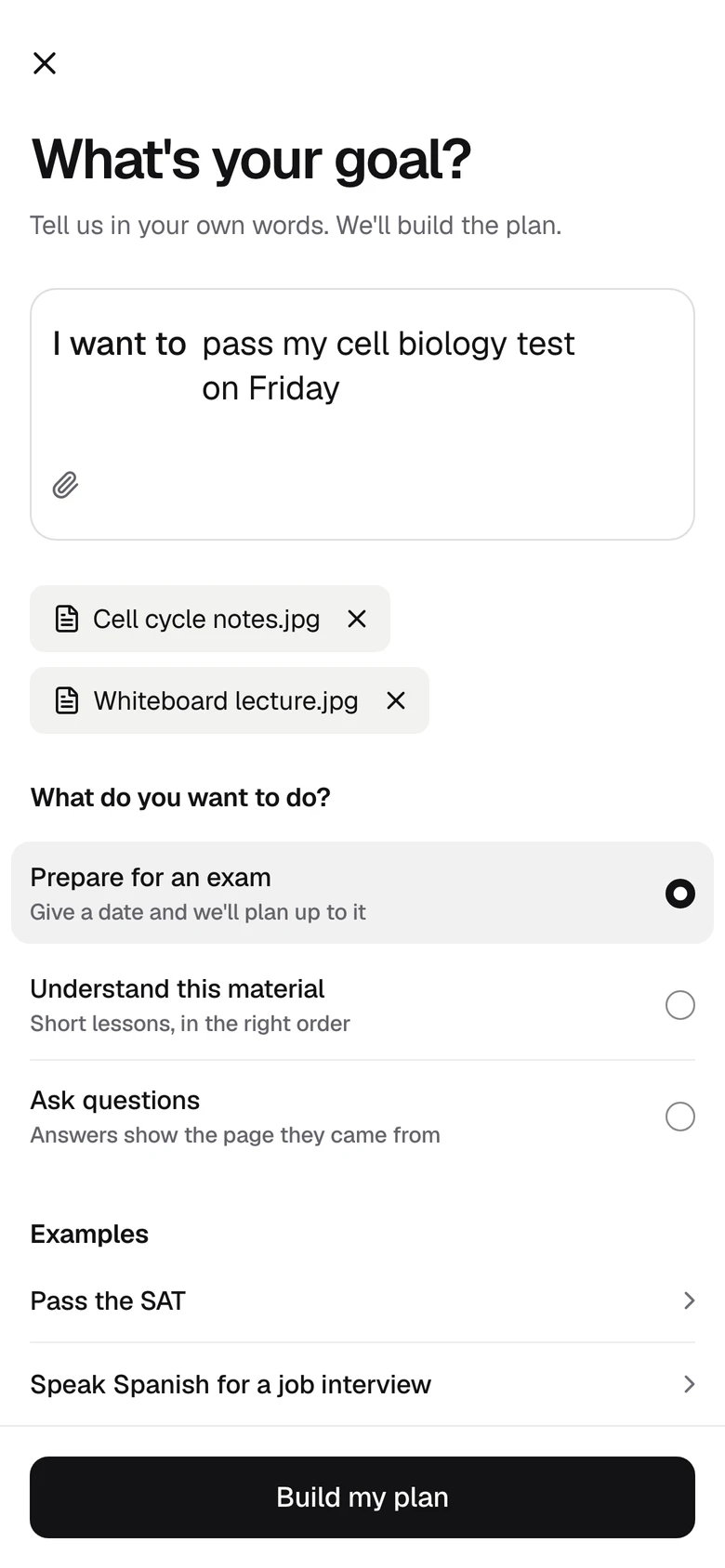
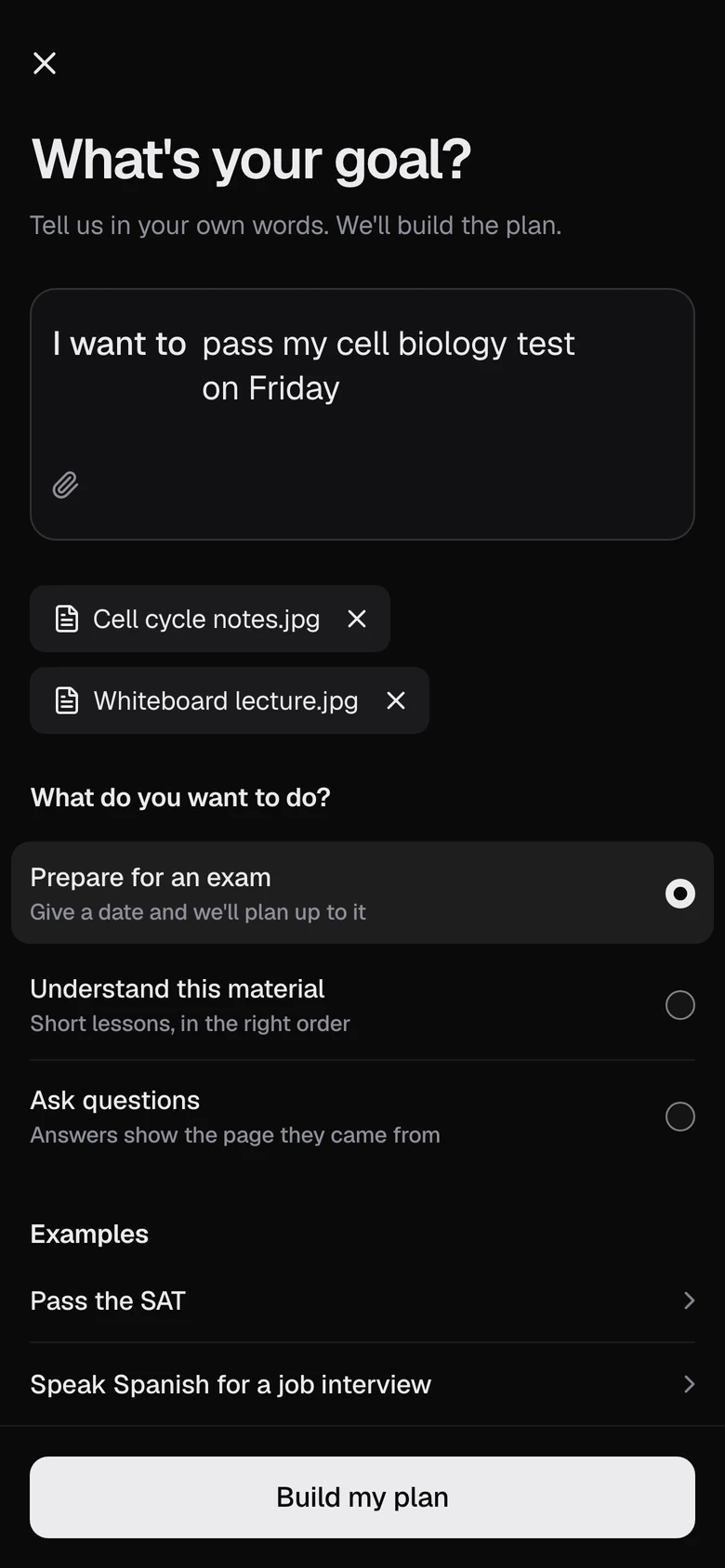
Attach photos of handwritten notes or whiteboards
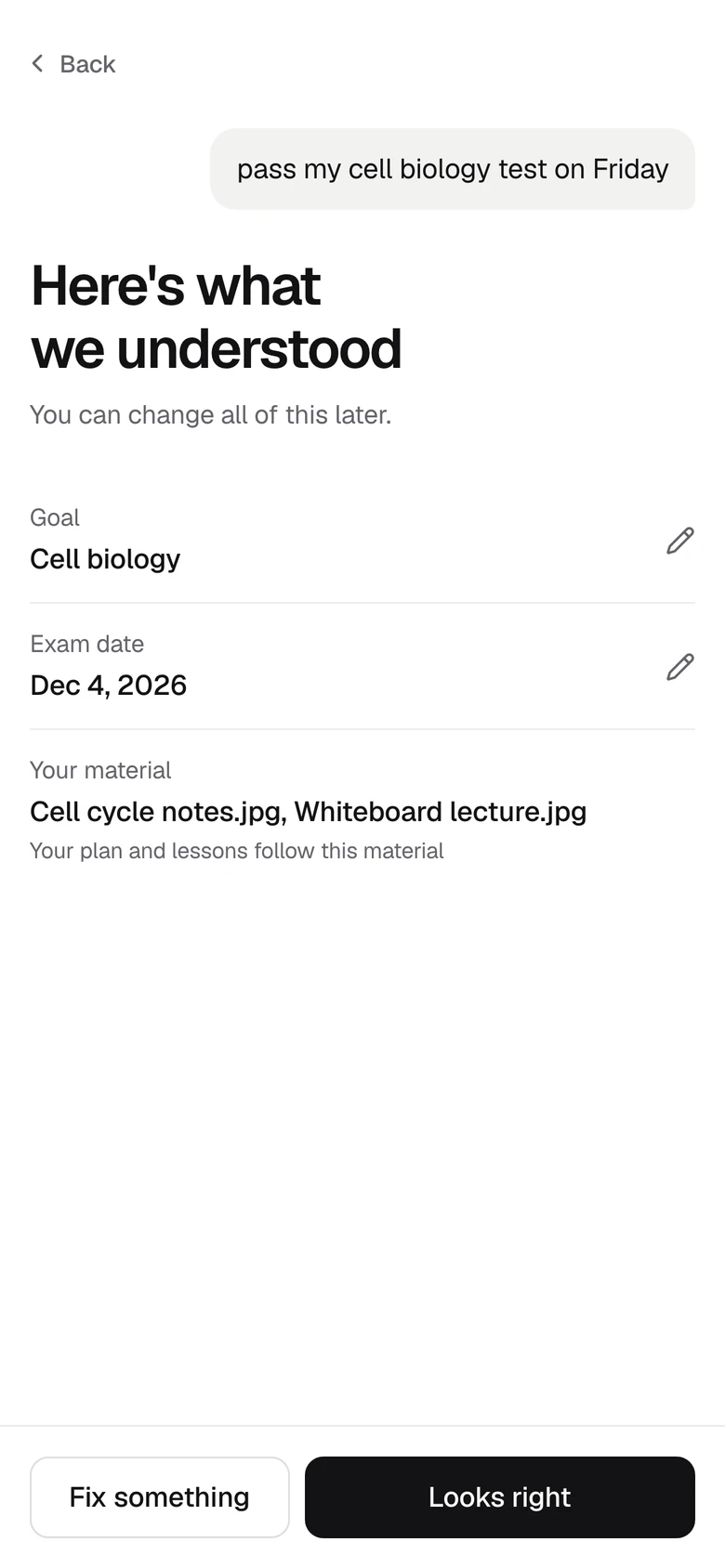
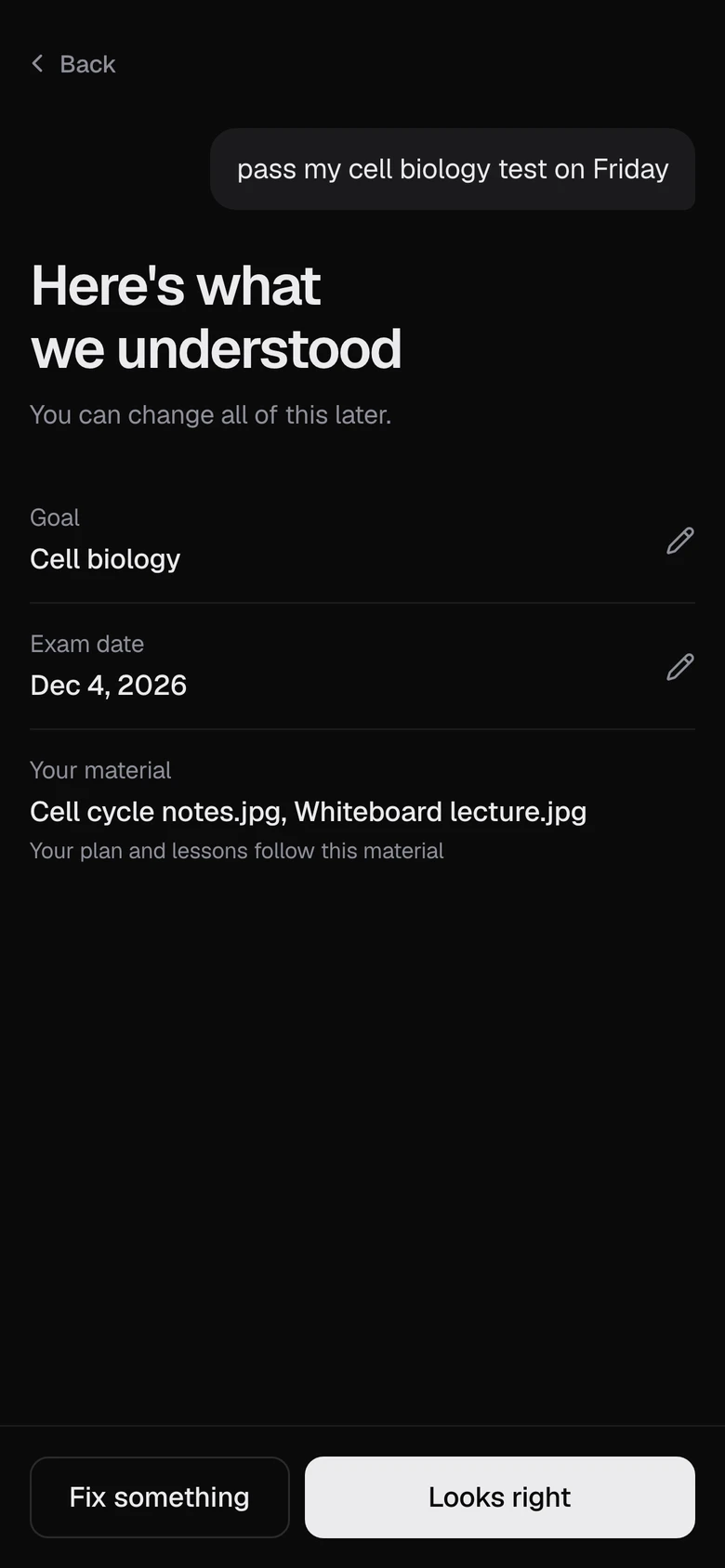
Your plan and lessons follow what's on the page
Separate conversations with your study buddy
When every question you ask goes into one endless thread, finding that explanation of waves you liked last week takes forever.
With a free or Plus account, your study buddy now keeps separate conversations. Opening the Zu tab picks up today's conversation or starts a fresh one on a new day, and New conversation starts a blank thread anytime. Your past conversations sit beside the chat on a wide screen and inside the Conversations sheet on a phone. When you reach your daily message limit on a free account, it tells you right away, keeps your draft in the box, and shows when you can send again.
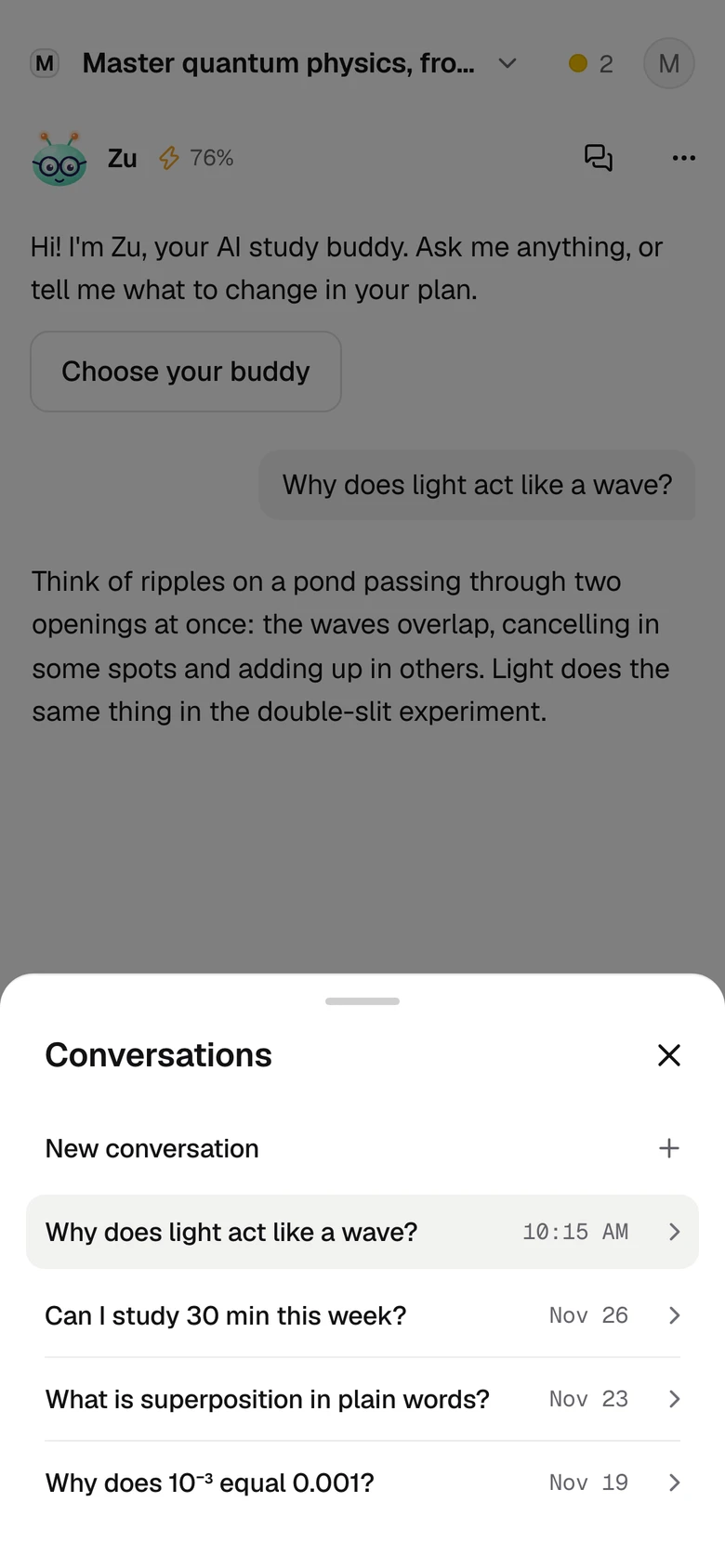
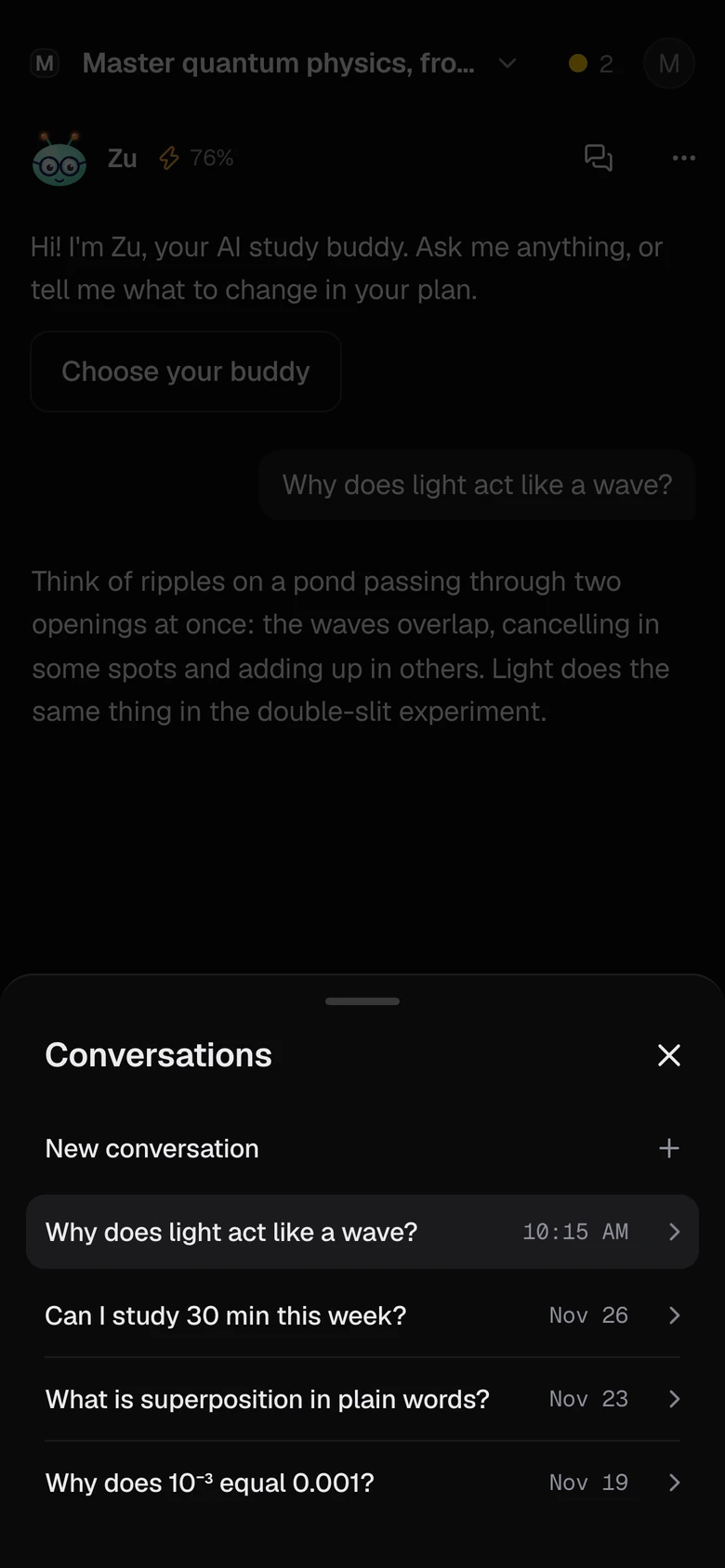
Jump back to any past conversation
Also new
- Save lessons to revisit later: tap the bookmark in a lesson's top bar or on any row in Completed lessons to save it to a new Saved lessons page, also reachable from your Plan and Practice anytime on Today. Bookmarking a lesson you haven't started doesn't start it or use a free lesson, and opening or reloading a lesson no longer counts as starting it until your first tap or answer.
- Exam plans that match the exact exam you take: exams with separate versions (like the FE exam's engineering disciplines) ask Which one will you take? unless you already named yours. Booked exams such as IELTS or driving tests ask When is your exam? with a Not booked yet option, and exams that differ by country (such as a private pilot license) ask Which country's exam is it? before looking it up. Written tasks stay tied to the option you chose, subjects tested in more than one part of an exam are planned and mocked across every part, and lessons follow each subject's official proportions.
- Fairer written and spoken grading: written exam grading now credits your point in your own words and follows how exam boards define full marks (including isolated, non-recurring slips on ENEM). Spoken answers listen to the recording itself whenever the written transcript differs, catch silent or cut-off recordings instead of passing them, and accept short one-syllable words like French "vin" or Portuguese "pão".
- Practice calls set in your chosen country: language practice calls now use the cities, currency, and phrasing of the country you chose (like euros in Madrid or a flat in Bristol), even when your lessons teach a different variety.
- Clearer answer choices, matching, and ordering: answer rows now end with a radio circle when a question takes one answer or a checkbox when it takes several, including on phones. In review, matching pairs check as you make them on shorter boards (up to five pairs), and ordering questions let you drag steps into place.
- Lesson questions come back in review, with shuffled choices: questions from your lessons now return in review and practice, and answer choices shuffle each time a question comes back.
- Taps on a slow connection aren't lost: on a slow phone, buttons show they're working the moment you tap them and send once the page is ready, without sending twice.
The release notes for 2.5 and the updates before it (2.4.1 to 2.4.4) have everything else that changed.
If something feels off, or Zoonk doesn't handle your goal well yet, write to us at hello@zoonk.com.